
You open Seller Central on a Monday and the Account Health page reads 428. Nothing looks broken. The listing that drew an authenticity complaint in March is gone, orders are shipping, and the dashboard is a comfortable green. Then a second notice lands on a sister ASIN, the rating collapses, and a deactivation clock starts on an account that looked healthy the day before.
That gap between the number on the dashboard and what Amazon can do is the whole problem. Account health is two jobs wearing one name: a visible score you can manage with a weekly routine, and an enforcement layer that a green score doesn't cover. Independent sellers accounted for more than 60% of sales in Amazon's store in 2025, according to Amazon's 2025 small business empowerment report, so a lot of brands carry that enforcement risk with no system behind it.
Run both layers and the Monday surprises get rarer.
What Your Account Health Score Actually Measures
The Account Health Rating is Amazon's estimate, on a scale of 0 to 1,000, of how likely your account is to be deactivated for policy noncompliance. Amazon frames it as near-real-time visibility into that risk. A new seller starts at 200 points, and from there the score reflects policy adherence and selling activity across the previous 180 days, per the Amazon Seller Central account health reference. It isn't a pass or fail badge. It's an operating number that moves whether you touch it or not.
The bands are simple enough to hold in your head once you've seen them laid out.
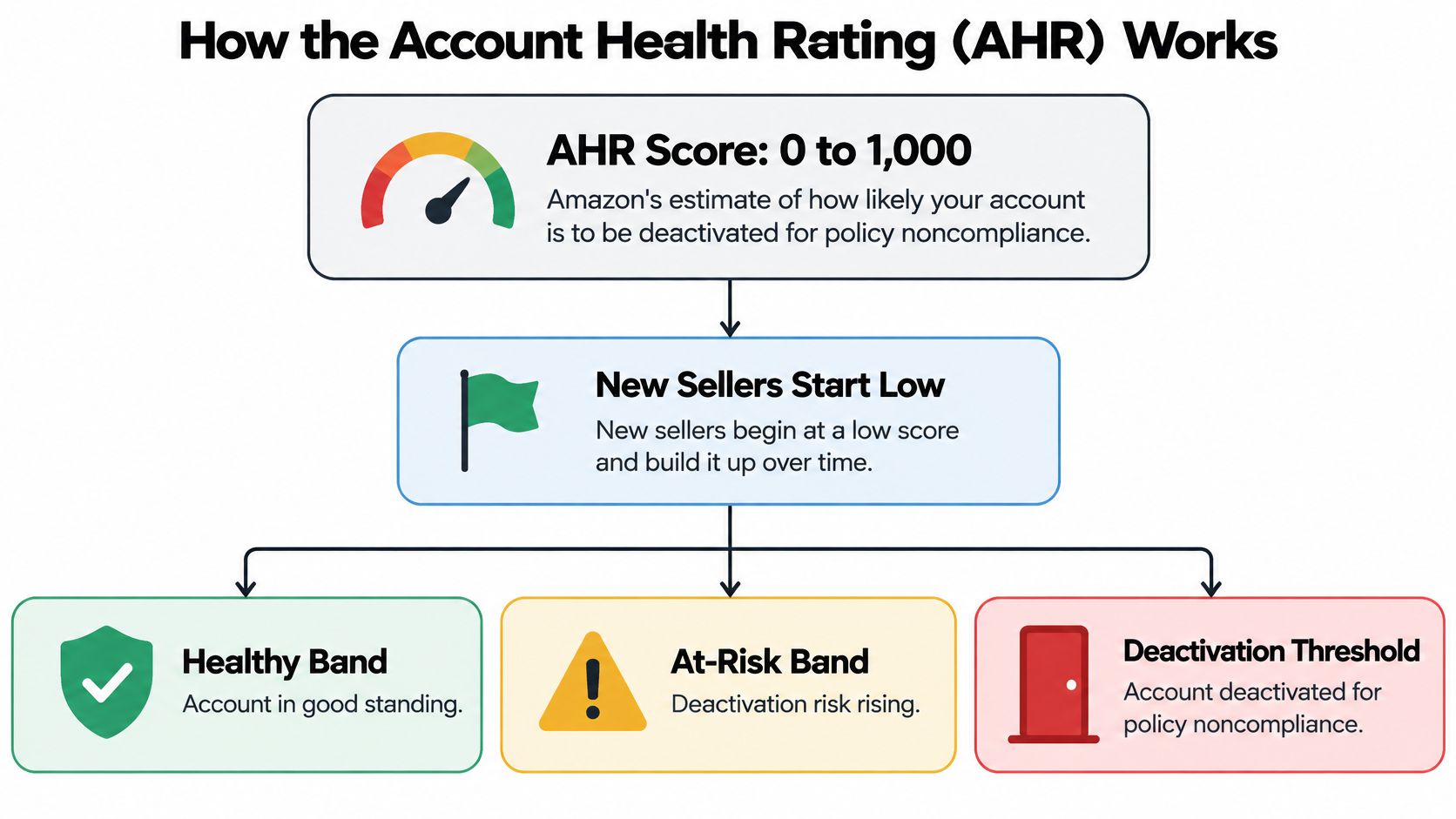
One structural detail catches international brands: the rating is calculated separately for each store or marketplace. A brand at 780 in the US can sit at 130 in Germany on the same morning, and strength in one country tells you nothing about the other.
How the Rating Behaves Over Time
Treat the score like a bank balance. Open violations are withdrawals. Successful appeals and clean selling weeks are deposits. The balance carries history, which cuts both ways.
A brand reading 640 on Monday can be dragging a restricted-products warning from two months back that keeps drawing the number down while nothing new happens. The same mechanic works in your favour: address the violation, get it removed, and points come back without starting from scratch.
Where Your Score Sits Right Now
| Score range | Amazon band | What it means | What to do |
|---|---|---|---|
| 200 to 1,000 | Healthy | Full selling eligibility, but the score can still drift | Review open violations monthly |
| 100 to 199 | At Risk | Open violations are pulling the score down | Resolve and appeal open violations this week |
| 0 to 99 | Unhealthy | Deactivation risk is live and the score needs immediate recovery | Treat as an incident and appeal immediately |
Your band sets the urgency, not the cause. A score of 180 tells you something open is pulling the number down; it doesn't tell you which marketplace, which SKU or which policy. Only the violation list does that.
If a notice arrives and you can't tell whether it's routine housekeeping or a first strike, this walkthrough on how to respond to Amazon policy violation warnings is worth reading before you type anything into a case log.
Record three figures for every marketplace today: current score, band, and open violation count. Everything else here measures movement against those three.
The Four Metrics That Put Selling Privileges at Risk
Four numbers carry most of the enforcement weight on seller-fulfilled orders. Exceed any of them and Amazon can restrict or remove selling privileges.
| Metric | Threshold | Measurement window | What counts against you |
|---|---|---|---|
| Order Defect Rate | Below 1% | Rolling 60 days | Negative feedback, A-to-z Guarantee claims, chargebacks |
| Seller-fulfilled cancellation rate | Below 2.5% | 7 days | Orders cancelled by the seller |
| Late shipment rate | Below 4% | 10 and 30 days | Orders shipped after the promised handling time |
| Valid Tracking Rate | At least 95% per category | Rolling 30 days | Packages without a valid tracking number and carrier scan |
Order Defect Rate is the one that punishes small catalogs, because the denominator is your order count. Amazon measures it across a rolling 60-day window and sets the ceiling below 1% (order performance guidance).
The Arithmetic That Catches Small Catalogs
Say a brand ships 150 seller-fulfilled orders this month. One arrives damaged and earns a one-star. One becomes an A-to-z Guarantee claim. That's two defects out of 150, or 1.33%, already over the line.
A catalog doing 4,000 orders a month can absorb the same fortnight without noticing. A catalog doing 150 can't. This is the most common reason a well-run small brand gets a restriction notice it never saw coming.
The other three metrics work the same way. Cancellation rate is measured over seven days and must stay below 2.5%, so three cancellations in a week where you shipped 110 orders puts you at 2.7%. Late shipment rate runs below 4% across 10-day and 30-day windows, which means a carrier delay in one lane can breach it before your warehouse knows there's a problem.
Valid Tracking Rate needs at least 95% per product category over a rolling 30 days, and it counts a valid tracking number plus a carrier scan (Amazon Seller Central tracking guidance). At 200 seller-fulfilled packages, that leaves room for 10 without a valid tracking number and scan. At 1,000 packages, 50. Typing a number into the field isn't enough; the carrier has to scan it and Amazon has to recognise the carrier code. FBA orders don't count against VTR at all, so keep the two fulfilment methods apart when you read the number.
Practical rule: ODR has the longest memory of the four. A defect logged today keeps counting for about two months, so a fix made this week still shows in the number six weeks from now.
You'll find all four in the Account Health and Performance areas of Seller Central. The useful view isn't the account average. It's the breakdown by SKU, fulfillment method and category.
Repeat Violations and Hidden Risks That Trigger Deactivation
A supplement brand gets a restricted-products violation on ASIN A in January. The team pulls the listing, the score barely moves, everyone moves on. Ninety days later the same violation lands on a sister ASIN with the same ingredient disclosure problem. That second notice is where accounts die.
Amazon's published thresholds put the danger closer than most sellers assume: as few as two repeat violations for restricted-products policies and five for infringement-related policies inside a 180-day period. The point penalty rises each time the same policy is broken, higher-severity repeats degrade the rating faster, and reaching the maximum for one policy puts immediate deactivation on the table. Amazon also states an account can turn red at zero and receive a three-day grace period to address the violation (Amazon Account Health Rating policy).
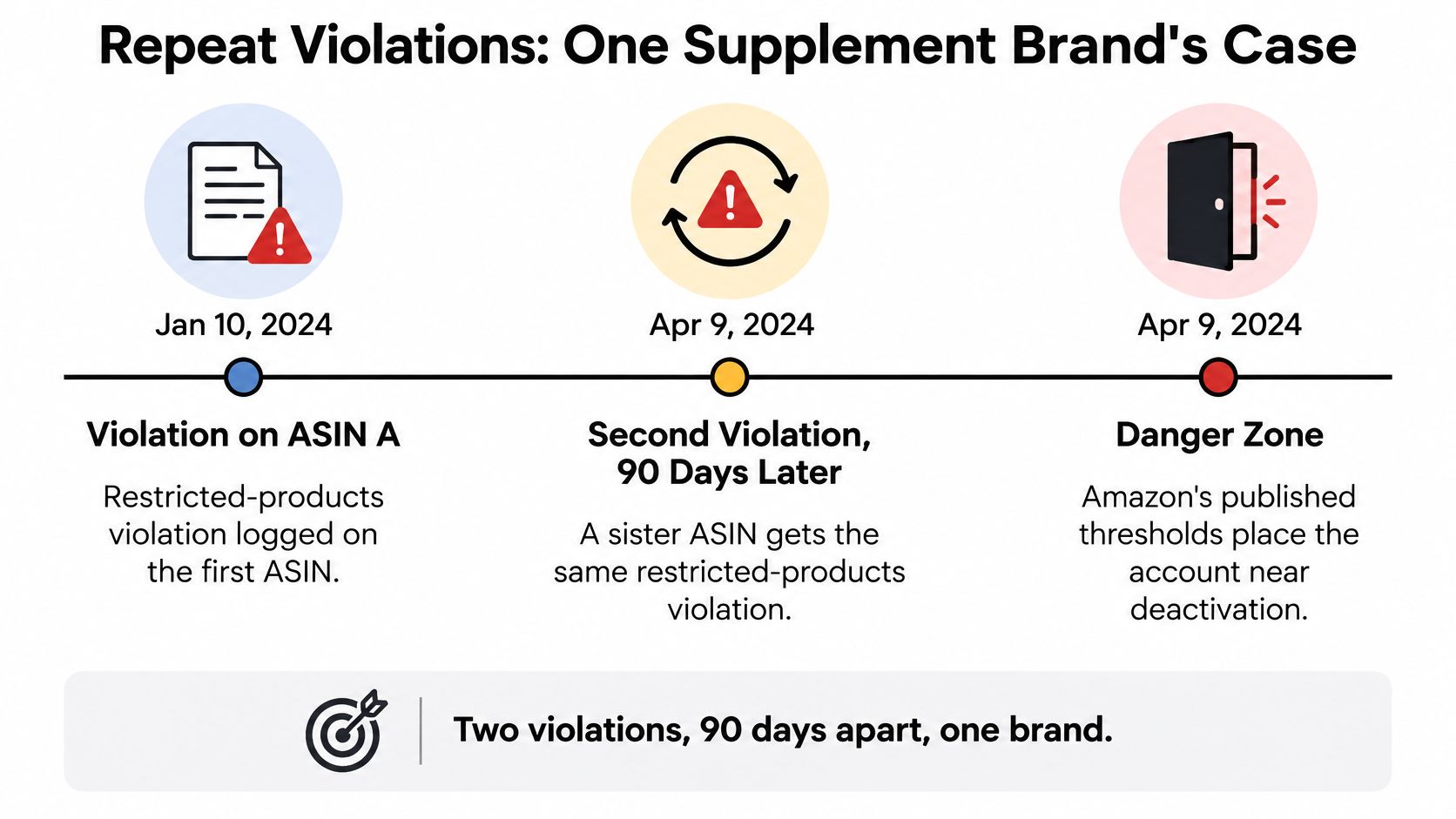
The mistake in that case wasn't the first notice. It was treating a catalog-wide ingredient problem as one bad listing. Severity sets the clock: the same pattern under an infringement policy would need five strikes, which buys time, and the same pattern under restricted products needs two, which doesn't.
Risks a Green Score Does Not Show
Amazon can deactivate an account immediately for suspected fraudulent, deceptive, illegal or otherwise harmful activity regardless of its score (Amazon account health policy). That single sentence is why optimising the number is not a protection strategy.
Track these separately from the AHR:
- Identity verification status: a lapsed or mismatched business document can block an appeal before anyone reads your evidence.
- Customer data handling: how order data moves through your support tools and any third-party app.
- Related accounts: shared bank details, addresses or login patterns that link your stores.
- Intellectual property complaints: brand-level complaints that never appear as a metric movement.
The test I use: if the problem moves with orders, it's a metric and the weekly routine will recover it. If a notice names fraud, identity or a linked account, it's enforcement, and you stop optimising and start assembling evidence.
Keep a dated line for each serious event: first notice, root cause identified, containment date, appeal submitted, and the date the 180-day window closes. That line tells you when the repeat risk expires.
A Weekly Routine to Catch Drift Early
Forty minutes a week, one shared sheet, same day each week. Rolling windows hide spikes, so a skipped review is how a fixable defect becomes a restriction.
- Log the score and band per marketplace. Open the Account Health dashboard and write the AHR score and band for every marketplace into a dated row, because a per-marketplace history shows drift before the band changes.
- Sort open violations by age. Product Policy Compliance lists them; work the oldest first, since the oldest open case is closest to becoming the repeat violation with the bigger penalty.
- Pull order performance by SKU. Read ODR, cancellation rate and late shipment rate by SKU and fulfillment method rather than as account averages, because one SKU usually produces most of the defects.
- Check Valid Tracking Rate by category. Flag any category within two points of the 95% floor, because category-level failure restricts listings even when the account average looks healthy.
- Calculate headroom. Convert each metric into the number of extra defects, cancellations or late orders it can absorb before breaching, because a percentage tells you where you are and headroom tells you how close the edge is.
- Log a root cause with an owner and a date. One tracker, one line per issue, because an unassigned cause returns as the same violation inside the same window.
- Set an escalation alert at 25% of headroom. When a metric has used three quarters of its allowance, the operations lead gets a message, because the last quarter disappears faster than the next review.
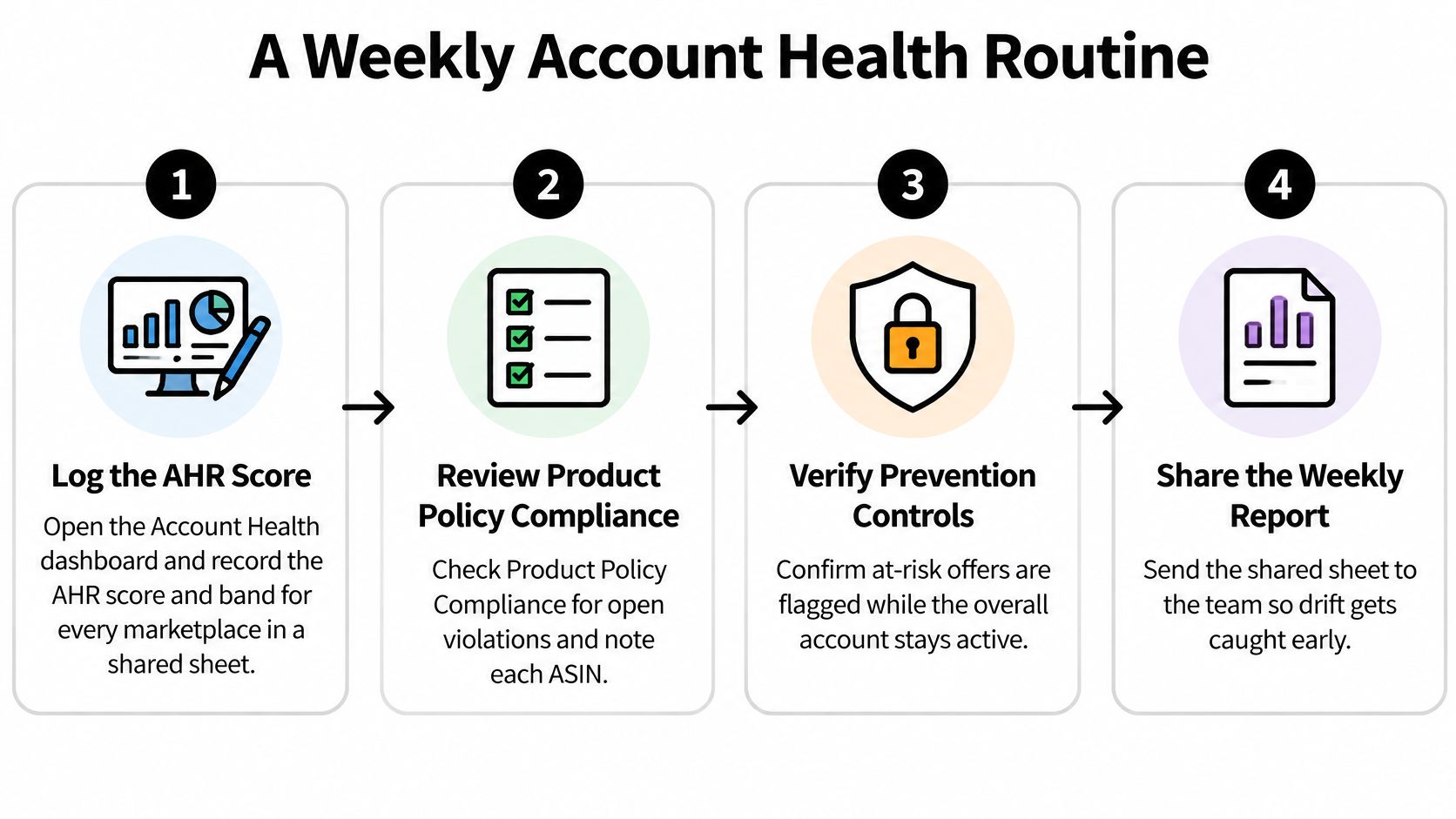
Stable merchant-fulfilled catalogs can run this weekly. Stockout-prone or high-volume catalogs need the order metrics checked daily, because a week of cancellations breaches the rate before the next review arrives.
If you want more reports folded into the same sitting, this list of Seller Central reports to check weekly covers the rest of the set.
You finish with one row per marketplace: score, band, open violations, and headroom on each metric.
How to Appeal a Violation Without Losing the Account
Start with the clock. If Amazon's requested information isn't received within 90 days of the original notification, the account can remain deactivated, so track that deadline from the day the notice arrives. A green health score does not pause it, and an appeal in progress does not extend it.
The enforcement layer bites here. A catalog can sit inside every metric threshold and still lose the account over a single open violation that nobody tracked to its deadline.
The working order:
- Open the enforcement notice and the View Appeal option. The notice specifies what evidence Amazon wants; writing before you've read it produces a generic appeal that gets declined.
- Name the root cause in one sentence. A supplier change, a listing error, a carrier switch. If that sentence doesn't exist yet, neither does the appeal.
- Contain the issue before you write. Remove the offending listings or inventory. An appeal that shows a fix already made outperforms one that promises a fix later.
- Gather evidence tied to this violation. Invoices, authenticity records, business documentation, or a Plan of Action when the notice asks for one.
- Write one appeal per violation. Reference the exact notice and list the attachments, because a merged appeal for three notices answers none of them.
- Track every case against the 90-day deadline. Notice date, response date, days remaining. A slow supplier or a missed follow-up is how a recoverable violation becomes a permanent one.
Two Traps That Cost Accounts
Deleting a listing does not resolve the violation. The enforcement stays on the record until it's successfully appealed or disputed, which means the clock keeps running and the repeat count keeps building.
Creating a new account to work around a deactivation is prohibited, and it puts both accounts at risk.
The One-Page Template
Every submission gets the same sheet: notice number, date received, root cause, containment date, evidence attached, submission date, days left on the clock. A coordinator can fill it in fifteen minutes, and a manager can audit ten of them in the time it takes to read one long email.
For the written plan itself, this guide to building an Amazon appeal plan of action walks through the format Amazon expects: the root cause, the corrective action already taken, and the controls that prevent a repeat.
Symptom, Cause and Fix Reference
Use this as a lookup, not a read-through. Find the symptom on your dashboard and start there.
| Symptom | Likely cause | Fix |
|---|---|---|
| ODR climbing after a clean month | One SKU or carrier still producing defects inside the 60-day window | Isolate the SKU, fix the source, expect about two months to clear |
| Cancellation rate spike | Listing quantity out of sync with the warehouse count | Sync inventory, set a stock buffer, pause listings before stockouts |
| Late shipment rate spike | Handling time set longer than real dispatch, or carrier delays | Correct the handling time, switch the slow carrier for the affected lanes |
| VTR below 95% in one category | Labels with no carrier scan or unrecognized carrier codes | Map carrier codes correctly and transmit tracking at confirmation |
| Score drop with no open violations | Closed violation recurring inside the 180-day window | Review closed cases for recurrence and fix the root cause |
| New violation notice on a listing | Missing documentation or an intellectual-property complaint | Remove the listing and submit a documented appeal within 90 days |
A rising ODR after a clean month almost always traces to one SKU or one carrier whose defects are still working through the window, not to a sudden collapse in service quality. Pull the defect list, sort by ASIN, and the culprit shows up in the first five rows.
Recovery Times by Metric
Cancellation and late shipment rates can recover within weeks once the cause is fixed, because their windows are short and the denominator refreshes quickly. ODR needs roughly two months of clean orders, so a fix made today still leaves the metric fragile through the next quarter.
Every fix starts the same way: isolate the affected SKU, fulfillment method and category before changing anything account-wide.
Prevention Controls for Large Catalogs and Multi-Brand Teams
A green score still leaves the enforcement layer exposed. It shows violations Amazon has already chosen to record, while the next allegation can move faster than the score updates. The controls below are ordered by how quickly they contain risk, because containment is what buys time when a notice lands.
Amazon's FBM update says that, beginning August 31, 2026, an offer that puts Account Health at risk can be temporarily deactivated while other active listings and the overall account remain unaffected (Amazon Seller Forums announcement). For a large catalog, that changes the unit of work: rank exposure by ASIN, marketplace and fulfillment channel, then decide in advance which offers pause first.
Containment is a catalog decision before it becomes a compliance one.

Set Pause Triggers Per SKU
Use the same threshold as the weekly alert. When a seller-fulfilled SKU's ODR headroom falls below 25% of its allowance, or when that SKU carries two open violations, pause fulfillment-by-merchant on it or move it to FBA. Write the rule down so nobody is debating a listing at midnight.
Before firing the trigger, price the decision. Run the SKU through the Amazon profit calculator to see what pausing that offer costs in contribution margin, then compare it with the cost of an account-level restriction. Catalog errors are also a routine source of listing takedowns, so run new imagery through an image compliance checker for sellers before publishing.
The Evidence Pack Every SKU Needs
Keep invoices, authenticity records, supplier agreements and business documents filed per SKU, with the marketplace and ASIN in the folder name. An allegation against one ASIN needs that ASIN's paperwork in hours. Hunting through a shared drive is how a two-day response becomes a two-week one.
Related-account risk belongs on the same control list. Give each marketplace one accountable owner, keep access rules clean, and remove shared logins or recycled addresses that can link stores nobody meant to connect. Multi-brand teams should separate permissions by brand so one operator's mistake does not spread across the whole portfolio.
If the control set has gaps, work through this Amazon account audit checklist once, then close them in the order above: pause rules first, evidence second, access hygiene third.
Unauthorized resellers are a catalog control problem too. Their listings create defects, complaints and pricing damage on your brand, so Brand Registry enforcement and MAP enforcement belong inside the prevention set. During an incident, four roles need to be reachable in the same channel: catalog, logistics, customer service and finance.
Book a Free Account Health Review
Bring three things: the current AHR score and band for each marketplace, the last 90 days of violation notices, and the headroom sheet from your weekly routine. That's enough to see where the exposure sits.
You leave with a score per marketplace, a ranked list of at-risk SKUs and fulfillment methods, and a review of the evidence stored against each open case. Most brands find one SKU and one category doing 80% of the damage.
This is the routine we run with brand teams. We monitor client account health daily and handle Seller Support cases so small issues don't become suspensions, and the same work covers appeals, containment calls and evidence packs. Brands dealing with unauthorized sellers or MAP violations can also review the 360 Brand Protection program.
When you book the free consultation and you're a fit, the complimentary OBG360 Amazon Account Audit runs as part of the call. Book a free strategy call at /#book-call and bring the sheet.
Account health is manageable when you treat the score and the enforcement layer as separate jobs. Online Brand Growth does both inside your Seller Central account: daily monitoring, Seller Support case work, appeal preparation and containment decisions, so a notice on one ASIN doesn't turn into a suspended account. If you want the audit run on your own numbers first, visit Online Brand Growth and start with the free OBG360 review.