
Creating and maintaining an Amazon Brand Store is free, and the only commission attached to it is the product referral fee Amazon charges on every order plus whatever an affiliate or creator earns when a sale runs through an eligible attribution flow. Those rates are set by category, not by how the storefront looks, and they swing from 0% on some onsite categories to 17% on clothing priced above $20.
The storefront itself is not a revenue line for Amazon. Nothing is charged for building it, nothing is charged for keeping it live, and no percentage is skimmed because a shopper browsed a branded page before buying. What you pay sits on other lines entirely: the referral fee Amazon takes when an order ships, the selling plan that lets you trade at all, and the creator commissions that appear only when a qualifying sale travels through a link Amazon can attribute.
That separation matters because "Amazon storefront commission" gets used to mean three different things in the same conversation. A brand owner comparing a Storefront build quote against a creator invoice is comparing a design cost against a traffic-acquisition cost, and neither one is the fee Amazon charges per unit. Model them on separate lines and the channel economics become visible.
Why a Free Brand Store Still Carries Commission
Amazon's own Brand Stores product page states that creating and maintaining a Brand Store is free, and that a brand doesn't need to advertise on Amazon to create one. That's the whole storefront cost: 0% creation, 0% maintenance. A Brand Store is a branded destination inside Amazon where eligible businesses group product collections, tell the brand story, and push shoppers to detail pages. It's a self-service page, single-page or multi-page, and Amazon charges nothing for it.
What the storefront does not do is replace marketplace charges. Selling still requires a plan, and Amazon lists the Professional selling plan at $39.99 per month in addition to selling fees. Product-level referral fees apply to orders regardless of how the shopper found you, and the U.S. seller fee schedule sets those at 15% of total sales price in many categories, subject to a $0.30 minimum referral fee.
| Cost layer | Who pays or earns it | Typical value |
|---|---|---|
| Brand Store creation and maintenance | Brand | Free, 0% |
| Professional selling plan | Seller | $39.99 per month |
| Product referral fee | Seller, per order | Usually 15% of total sales price, $0.30 minimum |
Fulfillment, advertising, storage, returns, and subscription fees all shape contribution margin too. A brand can build a beautiful storefront, drive traffic to it, and still lose money on every unit once those layers land.
The modeling rule: give every cost a home before you build the spreadsheet. Storefront costs are fixed and zero. Transaction costs scale with units. Traffic acquisition costs scale with the creator or ad deal. Blending them is how a free storefront gets mistaken for a free channel.
Three questions decide the true number. What rate applies to your category? How is the referral fee calculated on your price points? And when does a creator sale earn commission at all? Each one has a published answer, and each one changes the math differently.
Associates and Onsite Rates by Category
Find your category in this table before you agree to any creator rate. The two columns come from two separate Amazon programs, and they don't move together.
| Category | Standard Associates rate | Onsite Associates rate |
|---|---|---|
| Luxury Beauty | 10% | 4% |
| Home and pets | 3% | 3% |
| Furniture, home improvement, lawn and garden | 3% | 3% |
| Pantry, business supplies, musical instruments | 3% | 2% |
| Physical books | 4.5% | 0.50% |
| Kitchen | 4.5% | 1.25% |
| PCs and components | 2.5% | 0.50% |
| Health and personal care | 1% | 1.25% |
| Grocery | 1% | 0.50% |
| Toys, baby products, televisions | 2% to 3% | 0.50% |
| Gift cards, wireless service plans, alcoholic beverages, Kindle subscriptions | 0% | 0% |
The standard column is what a creator earns on traffic they send to Amazon. Amazon's Associates rate schedule sets standard commission as a percentage of qualifying revenue, varying materially by category: 10% for Luxury Beauty, 4.5% for physical books and kitchen, 3% for home, pets, furniture, pantry, and similar mid-rate categories, 2.5% for PCs and components, and 1% for grocery and health and personal care. Bundled categories like toys, baby products, and televisions sit close together in the low single digits, which is why the table shows them as a range. Gift cards, wireless service plans, alcoholic beverages, and subscription digital Kindle products earn nothing at all under either column.
Run the spread on real volume. $100,000 in qualifying Luxury Beauty revenue at the standard rate implies $10,000 in commission; the same revenue in Grocery at 1% implies $1,000, before exclusions. Two brands with identical storefronts and identical traffic can carry a tenfold difference in creator cost.
The onsite column applies only when Amazon displays qualifying creator content and a shopper clicks it. Amazon's Onsite Associates rate table lists 4% for Luxury Beauty, 3% for furniture, home, home improvement, lawn and garden, and pets, 2% for pantry, beauty, musical instruments, and business supplies, 1.25% for digital music, physical music, handmade, digital video, health and personal care, sports, kitchen, and automotive, and 0.50% for many products including books, grocery, baby products, toys, computers, televisions, and digital video games.
Two things in that table catch operators out. Onsite isn't always the cheaper column, since health and personal care pays 1.25% onsite against 1% standard. And the 0% rows are absolute: a campaign built around gift cards or alcoholic beverages earns a creator nothing no matter how well it converts, so expect pushback the moment you propose one.
Read the table row by row against your own catalog before signing anything. A kitchen brand paying 4.5% standard and 1.25% onsite has a strong incentive to push creators toward onsite placements. A health and personal care brand faces the opposite math and should price creator deals around the standard column instead. The category decides which attribution path costs you less, and that decision belongs in the contract, not in a reconciliation surprise three months later.
Referral Fees Charged on Every Sale
The referral fee is the one charge that hits every order, whether the shopper arrived through your Storefront, a creator link, a Sponsored Products ad, or branded search. Amazon calculates it as a percentage of the total sales price, charges it when the customer's order ships, and may apply a per-unit minimum, according to the referral fee schedule on Seller Central.
| Category or price band | Referral fee | Notes |
|---|---|---|
| Many standard categories | 15% | Percentage of total sales price, greater of fee or minimum applies |
| Automotive and powersports | 12% | Percentage of total sales price |
| Clothing and accessories, $15 or less | 5% | Price band |
| Clothing and accessories, above $15 up to $20 | 10% | Price band |
| Clothing and accessories, above $20 | 17% | Price band |
| 3D printers, first $200 of sale price | 12% | Tiered |
| 3D printers, portion above $200 | 5% | Tiered |
The rate isn't universal. Amazon's published U.S. examples show 15% across many standard categories, 12% for automotive and powersports, and clothing tiered at 5% up to $15, 10% above $15 to $20, and 17% above $20. The tiered structure for 3D printers is the clearest illustration of how marginal rates work: 12% on the portion of the total sales price up to $200 and 5% on the portion above it.
Take a $100 sale. In a 15% category it generally produces a $15 referral fee before other costs. In a 12% category the same sale produces $12. That's a three-dollar swing on one order, and it compounds across a catalog.
Amazon applies the greater of the percentage-based fee or the applicable minimum, and the calculation base can include item price, delivery charges, and gift-wrap charges. That last detail matters if you sell low-ticket items with shipping folded in, because the fee percentage lands on more than the item price.
Model referral fees at the ASIN level, not the account level. A blended rate hides the clothing SKU paying 17% behind the automotive SKU paying 12%.
Keep referral fees on their own line, separate from advertising and fulfillment, which are optional and controllable in ways the referral fee isn't. If you want the wider cost picture these fees sit inside, the breakdown of the true cost of selling on Amazon covers the rest of the stack.
Which Storefront Sales Qualify for Commission
A Storefront visit on its own earns nobody a commission. Commission enters only when a sale runs through an eligible Associates or influencer attribution flow, such as a qualifying Special Link or an eligible onsite session.
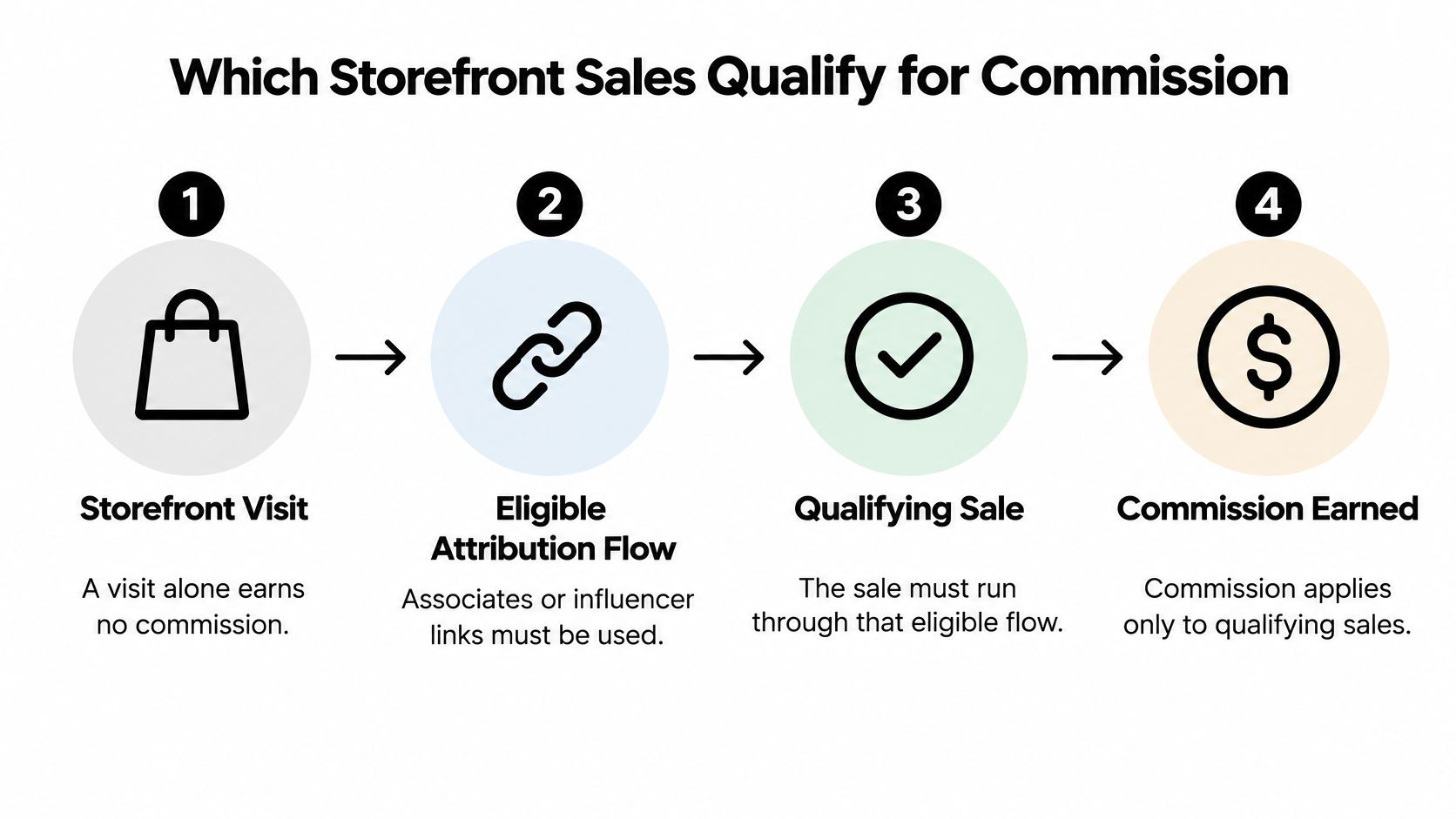
Attribution priority is where sales fall out. Amazon states that an onsite Associates session does not override a session created when traffic was directed to Amazon through an external Special Link, per the Associates attribution guidance. Creator, affiliate, and paid-social links therefore keep their own priority, and an onsite Storefront session won't displace them. Amazon also defines commission around qualifying purchases with exclusions and program limits, so gross Storefront traffic should never be treated as commissionable revenue.
Trace one click path and the leak points are obvious:
- Shopper lands on the Storefront through a link that carries no attribution tag. No commission accrues to anyone.
- Shopper clicks through to a detail page but the original external link already owns the session. Attribution follows the first link, not the storefront.
- Order ships, then gets returned. The qualifying purchase is reduced or reversed, and the commission line shrinks after the fact.
- Category rate differs from what the creator quoted. The payout lands at the published rate, not the negotiated one.
The control metric is effective commission rate, calculated as paid commission divided by attributed qualifying revenue. Compare that against incremental conversion rate and contribution margin to see whether a placement adds value. A 4% commission can be profitable when it produces high-intent incremental demand, and destructive when it claims credit for shoppers who would have converted through organic or branded search anyway.
Reconcile monthly, at the ASIN level: Storefront analytics, Associates or influencer reporting, order revenue, cancellations, returns, and category rates, line by line. The mismatches tell you more than the totals do.
Separating Onsite Placements From Creator Traffic
One creator can generate two earning streams that look almost identical in a summary report, and averaging them into a single "creator rate" is how brands misjudge performance.

Amazon splits the two explicitly. When a customer uses links to the creator's storefront or other Amazon pages, the creator continues to receive standard influencer commission rates and attribution on that traffic. When Amazon displays qualifying creator content instead, such as Idea Lists, photos, videos, or livestreams, and a customer clicks that content before making a qualifying purchase, the applicable onsite rate applies, per Amazon's guidance on influencer versus onsite commission.
An Onsite Store ID does not change the rates on traffic the creator sends to Amazon, including traffic sent to a storefront or product page. The Influencer Program policy names onsite earnings Onsite Commission Income as a separate stream, and Amazon points creators to Associates Central for the applicable onsite rates, with rates visible in reports, according to the Influencer Program operating policies.
The same discipline applies to other Amazon-funded incentives, like the Amazon brand referral bonus program, where a payout appears on a report line that maps to no creator at all.
The one-week test: pull two creators' reports next to your own order data for the same period. The one whose commission line outruns its attributed revenue is the one being inflated by a stream you haven't separated.
Ask for the reports rather than a summary, split revenue into storefront-driven sales and Amazon-placed content, and keep the two rates apart in every model.
Modeling Net Contribution Before You Pay a Creator
Build the model as three calculations, then run one ASIN through all of them before a campaign goes live.
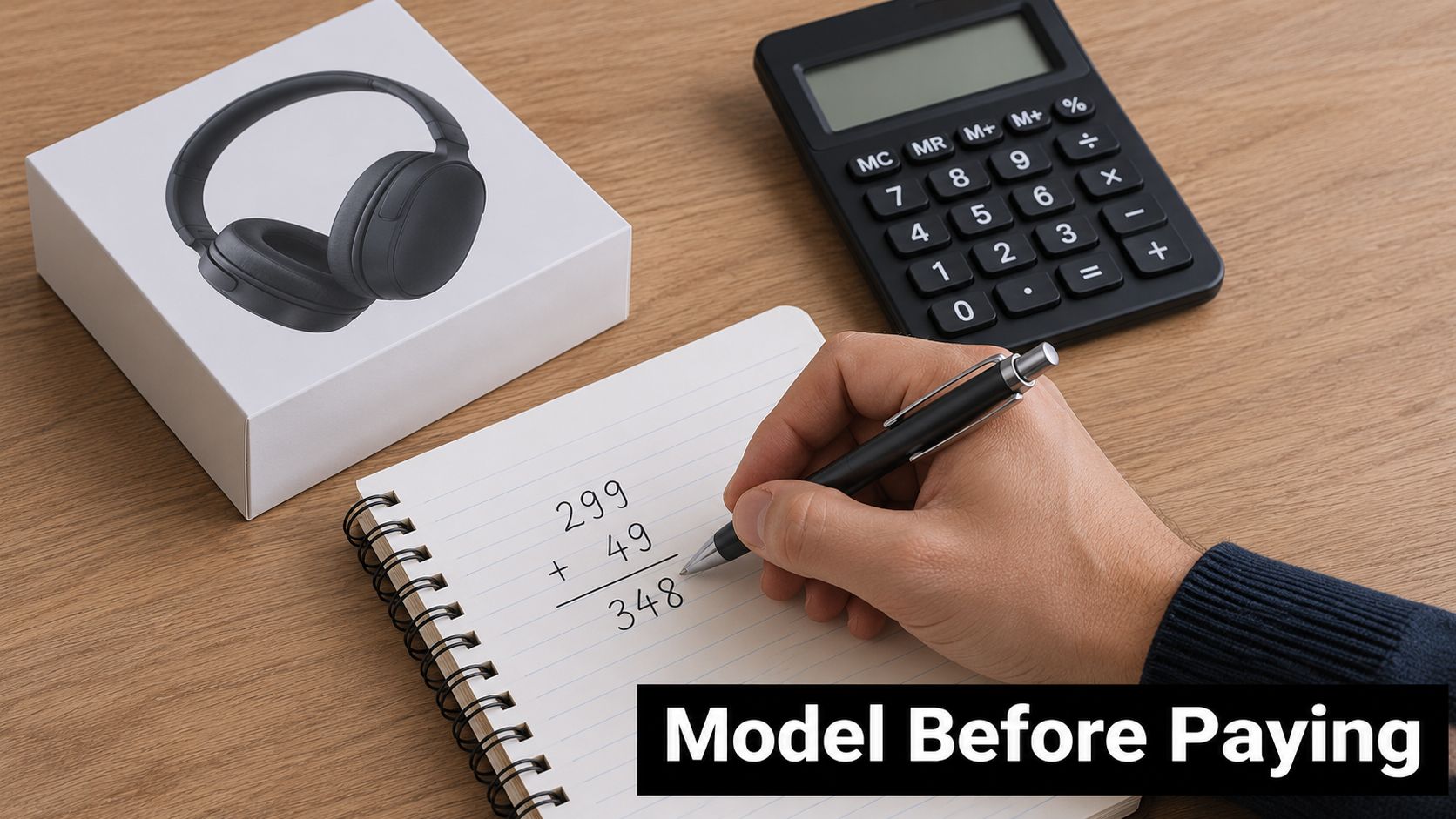
1. Attributed commission. Qualifying revenue multiplied by the category rate from the lookup table. 2. Net contribution. Qualifying revenue minus the product referral fee, product cost, fulfillment, returns, advertising, and attributed commission. 3. Effective commission rate. Paid commission divided by attributed qualifying revenue, which is the number you watch over time.
Say a creator's storefront link drives 1,000 units at $50. Qualifying revenue is $50,000, the category rate is 10%, so attributed commission is $5,000. The 15% referral fee takes $7,500. Product cost runs $18,000, fulfillment $7,500, returns $2,000, advertising $4,000. Net contribution lands at $6,000, or 12% of revenue.
Twelve percent can be a healthy placement or a slow leak, and the difference is incrementality. If those buyers would have found you through branded search anyway, the $5,000 is pure leakage and the deal isn't accretive no matter how good the conversion rate looks.
Before approving any campaign, run the audit. Tag every creator link with its own identifier. Place one controlled test order through the link, then cancel or return it, and confirm the sale shows up where you expect. Reconcile the creator report, the Amazon report, and your own revenue data against each other.
That last step is the one most brands skip, and it's the one that catches phantom attribution. The mechanics of building the full margin picture are covered in this guide to calculating contribution margin, and you can run the per-ASIN math quickly in the free Amazon profit calculator before a campaign is approved.
Sanity check: if the modeled contribution margin turns negative the moment you add the commission line, the creator isn't the problem. The price point or the category rate is.
Confirm Commission Tracking Before Your Next Creator Campaign
Commission tracking has to be clear before any creator link goes live. The Brand Store itself is free, but creator sales can pay different rates depending on attribution path, so the campaign only becomes trustworthy after the reports reconcile.
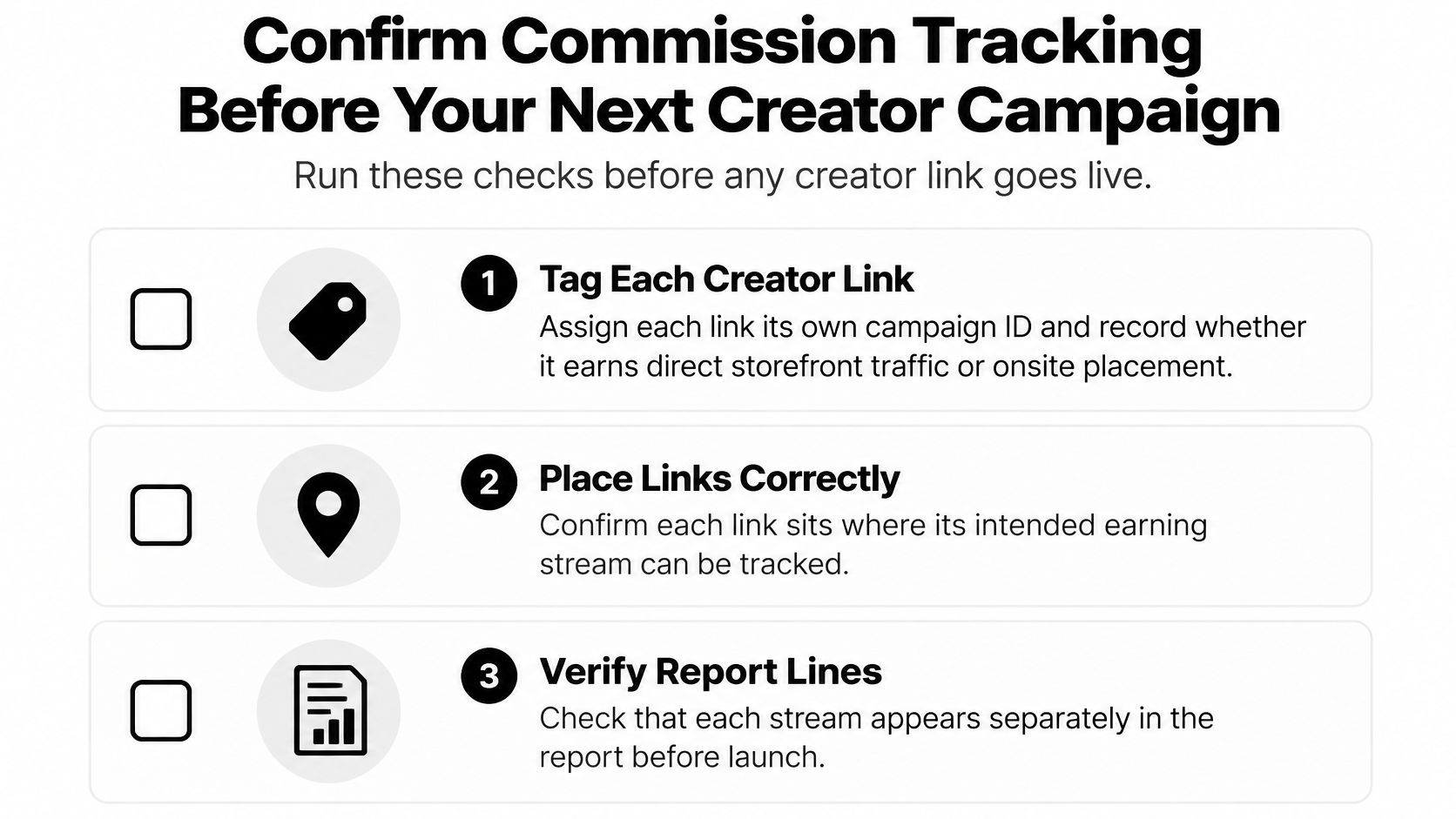
- Tag each link with its own campaign ID and record which stream it should earn: direct storefront traffic or onsite placement.
- Place one controlled test order per link, then cancel or return it, and confirm the sale appears in the creator report, the Amazon report, and your order data.
- Ask each creator which placements they expect Amazon to use, so you can match them to the onsite column before accepting a quoted rate.
- Set a reconciliation threshold. Flag any ASIN whose effective commission rate runs more than two points above its expected category rate.
- Reconcile weekly, including cancellations and returns, and pause any link that fails its test order.
- Confirm the commercial relationship disclosure appears in each post, and check the wording market by market before publication.
Amazon's influencer onboarding guide tells creators to use the direct link from their Storefront when driving audiences to Amazon, because that link enables affiliate attribution by default. Links copied into social posts, messages, or brand campaigns often don't preserve that path, which is why the test order beats the promise. A creator can report a click, a post can look clean, and the sale can still land outside the intended attribution stream. Treat each link as its own measurement stream, and keep the creator, Amazon, and internal revenue reports side by side.
Documented link governance, creator-level reporting, and market-specific disclosure review turn storefront commission into an auditable system. If you need a structured way to track creator campaign revenue across multiple partners, that framework pairs with the reconciliation routine above.
Online Brand Growth manages Amazon channels for brands that need PPC, launches, deals, Creator Connections, reporting, and operations to line up in one place. Under the fractional operator model, you keep your own Seller Central account while OBG runs the channel for a monthly fee tied to contribution profit. We also handle Brand Registry enforcement against unauthorized resellers to protect MAP and the Buy Box, and if your creator commissions and referral fees aren't reconciling, get a free Amazon audit from Online Brand Growth and bring your last two months of reports.