
Amazon's own products made up 1.5% of the listings in a large study of Amazon search results, and their median search position was 31. Every other product sat at 76. The study behind that number tracked 8,211,571 Amazon search listings, collected weekly from 100 search terms across 22 country domains between June 2023 and March 2024, as reported in a National Bureau of Economic Research working paper.
Read that gap as a description of the terrain, not a grievance. After controlling for basic product characteristics, the paper found Amazon's own products received search ranks about 24 positions better on average. The average listing in the sample carried 4.37 stars and 3,479 ratings, slightly more than one-third of products were Prime-eligible, and 4.5% of listings were sponsored. None of those are copy variables. They're offer, trust and fulfillment variables sitting in the same ranking system as your title.
That's the frame for everything below. An Amazon SEO listing is one system in which search terms, backend attributes, price, conversion and controlled tests move together. The paper is observational, so it shows what sits alongside position, not what causes it. Treat it as a map, not a formula.
Listing Field Limits and the Benchmarks Top Sellers Hit
Start with the reference table. The middle column is what Amazon publishes or enforces. The right column is what high-ranking listings did in an analysis of 3,000 top ASINs, drawn from the top 10,000 ASINs in each of 31 categories and then reviewed field by field across titles, bullets, images, descriptions and A+ content (Extensiv listing analysis).
| Field | Amazon limit or rule | Top-listing benchmark |
|---|---|---|
| Title | About 200 characters in most categories, no promotional language or seller information | 60 to 80 characters in 33% of top ASINs |
| Bullet points | Up to 5, one feature and one benefit each | 80% of third-party listings use 5 bullets |
| Images | Compliant main image plus a gallery that meets image rules | 62% of listings use 5 to 8 images |
| Description | Detailed product information, provable claims only | 36% of listings exceed 1,100 characters |
| Backend search terms | 250 bytes, no repeats of visible copy | No benchmark, fill only with variants the visible copy misses |
Title. Amazon's published limit is about 200 characters in most categories, with promotional language and seller information banned. The ceiling matters less than where the winners chose to stop. In the sample, 33% of top ASINs ran 60 to 80 characters, and the highest-ranking listings often ran shorter still. Put brand, product type and the one or two differentiators shoppers filter on up front, because results pages truncate the tail and almost nobody reads it.
Bullets. 80% of third-party listings and 58% of first-party vendor listings used all five. Amazon recommends pairing one feature with its corresponding benefit per bullet, and that structure survives across categories because it forces you to rank what matters. If a bullet names a feature but not the payoff it produces, cut it or fold it into a stronger one.
Images. 62% of listings used between five and eight images. Treat five as the competitive floor. A compliant main image, a scale shot, a use-case shot and an infographic that answers the top buyer objection is a working baseline before you consider filling the rest of the gallery.
Description. 36% of analyzed listings ran past 1,100 characters. Detailed product information is expected even where the title stays restrained, and the description is the one field where long-tail phrasing fits without crowding the copy that carries ranking weight.
Backend search terms. The limit is 250 bytes, and bytes are not characters. Accented letters and special characters consume more than one byte each, so the actual ceiling is lower than it looks. Spend the space on synonyms, alternate spellings and use-case phrasing the visible fields could not fit, because repeating words from the title buys you nothing.
The analysis is observational, so a character count or an image total does not prove ranking. What it gives you is a gap audit that costs nothing to run. Fill this table for your own ASIN, mark every field below benchmark, and fix those before you rewrite anything.
The order matters. Structural gaps first, copy second. Rewriting a title on a listing missing four attributes and three images is work you will have to redo.
How to Find the Search Terms Worth Targeting
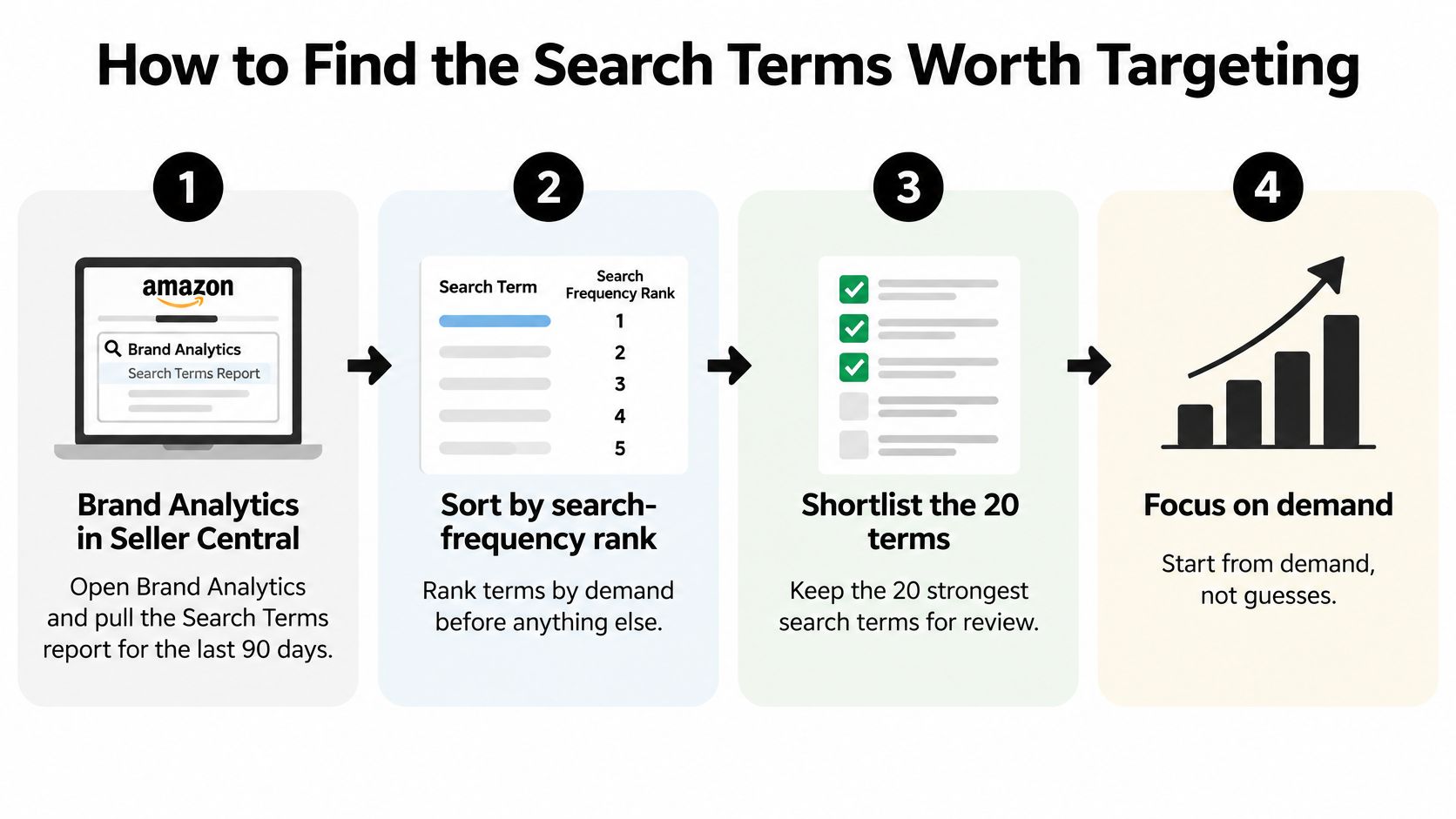
Third-party keyword tools sell estimates. Amazon's own reports show you demand. The Search Terms report identifies the most popular terms used in the Amazon store during a selected period, gives each a search-frequency rank, and shows the top three products shoppers collectively clicked after that search (Amazon Search Terms report guidance). That last column is the part most sellers ignore: it tells you what you're competing against on the results page.
- Open Brand Analytics in Seller Central and pull the Search Terms report for the last 90 days. A quarter smooths out a single promo spike and shows you the steady demand pattern.
- Sort by search-frequency rank before you read anything else. Demand order stops you from building a keyword map around terms you find interesting rather than terms shoppers type.
- Shortlist the 20 terms that describe your product type, use case or main differentiator. For each one, note the three products shoppers clicked. Those are your real comparison set, not the organic results you see from your own browsing session.
- Map each term to one ASIN. A term that belongs to a different product type stays off the list, even if it's high volume. Chasing a half-match teaches Amazon to stop showing you.
- Check coverage across title, bullets and backend terms. Mark every gap in one column, and note the single field that should carry the term first.
- Pressure-test the leading sellers with the free Amazon Sales Rank Checker. If the products winning those clicks are climbing, the term is live demand. If they're flat, you may be looking at a stale result.
The report describes popular store searches and click leaders, not every long-tail query, so it isn't a keyword database. Pair it with the Search Query Performance dashboard for branded search behavior. If you want a longer walkthrough of harvesting and sorting terms, our guide to finding Amazon keywords covers the full harvest. Understanding how to match pages to what searchers want is worth ten minutes here, because a term with the wrong intent produces impressions that never convert.
Finish with a shortlist of no more than 10 target terms. Each one gets an ASIN and one field to fix first.
Why Attributes and Q&A Decide Discoverability
Adding more keywords won't fix a listing Amazon's systems can't interpret. Amazon reported that more than 250 million customers used Rufus in 2025, with monthly average users up 149% and interactions up 210% year over year (Amazon Rufus announcement). That's a discovery channel running on structured facts, not on the density of your title.
Rufus pulls from listing content, reviews, Q&A, A+ Content and backend attributes, and its recommendations can differ substantially from page-one organic results (Andromeda analysis of Rufus inputs). A blank material field, a conflicting dimension across variations, or a missing compatibility statement keeps a product out of a conversational answer even when its keyword rank looks healthy.
The question isn't which keywords to add. It's which factual attributes are missing, contradictory, or impossible for Amazon's systems to read.
Run a three-part audit on your top ASINs. For each high-value shopper question, find the structured attribute that answers it, the bullet or A+ module that explains it in words, and the review or Q&A evidence that supports it. When a question has one leg missing, you've found the gap.
Prioritize by commercial impact. Attributes that drive search filters and questions that come up before purchase come first, then the long tail of care instructions and edge cases. On parent-child catalogs, confirm variations report identical facts, because one contradictory field can muddy the whole family. Remove any claim you can't support, since it damages trust and creates compliance exposure.
Measure two outcomes separately: lexical rank for your target terms, and recommendation inclusion for shopper prompts. Amazon publishes no Rufus ranking formula, so build a monthly prompt panel of ten or fifteen questions your buyers ask and record which brands get named. Our breakdown of the Amazon Cosmo algorithm explains why intent modeling now sits on top of term matching.
Diagnose Listing Gaps With the Search Query Funnel
Once the terms are shortlisted, the Search Query Performance dashboard in Brand Analytics tells you which stage is broken. It reports query volume, impressions, clicks, add-to-cart events and purchases for the leading search terms tied to your branded products (Amazon Search Query Performance reference). That's a four-stage funnel you can read as three comparisons.
Start with query volume against impressions. A wide gap means you're not appearing for queries shoppers clearly use, so the fix is indexed terms and completed attributes, not new copy.
Next, impressions against clicks. A weak click-through rate on strong impression volume means the front of your title and your main image aren't signaling relevance on the results page. Rewrite the first three or four words and reshoot the main image.
Then clicks against carts. Healthy clicks with weak add-to-cart rates point to the detail page: bullets, A+ Content, comparison points against the alternatives you identified in the Search Terms report.
Finally, carts against purchases. A drop there usually traces to price, Buy Box, stock or shipping, not to copy.
| Metric gap | Likely cause | First fix |
|---|---|---|
| Query volume high, impressions low | Missing indexed terms or incomplete attributes | Add terms to backend search and complete attributes |
| Impressions high, clicks low | Title or main image not signaling relevance | Rework the front of the title and the main image |
| Clicks high, carts low | Detail page not persuading | Fix bullets, A+ Content and comparison points |
| Carts high, purchases low | Price, Buy Box, stock or shipping problem | Check price, offer and inventory status first |
Record the metric pair in writing before you change anything, or you'll never know which edit moved it. And remember the dashboard covers branded products only. Non-branded gaps have to come from the Search Terms report.
One pattern deserves a separate look. When carts outnumber purchases well below your usual ratio and the price looks right, unauthorized sellers and MAP violators taking the Buy Box are a common cause. Our 360 Brand Protection program handles unauthorized seller removal and MAP enforcement for brands seeing that signature. If the fix is carrying deeper inventory to avoid stockouts, price the carrying cost with the FBA storage fee calculator before you commit.
How to Write Each Field Without Stuffing Keywords
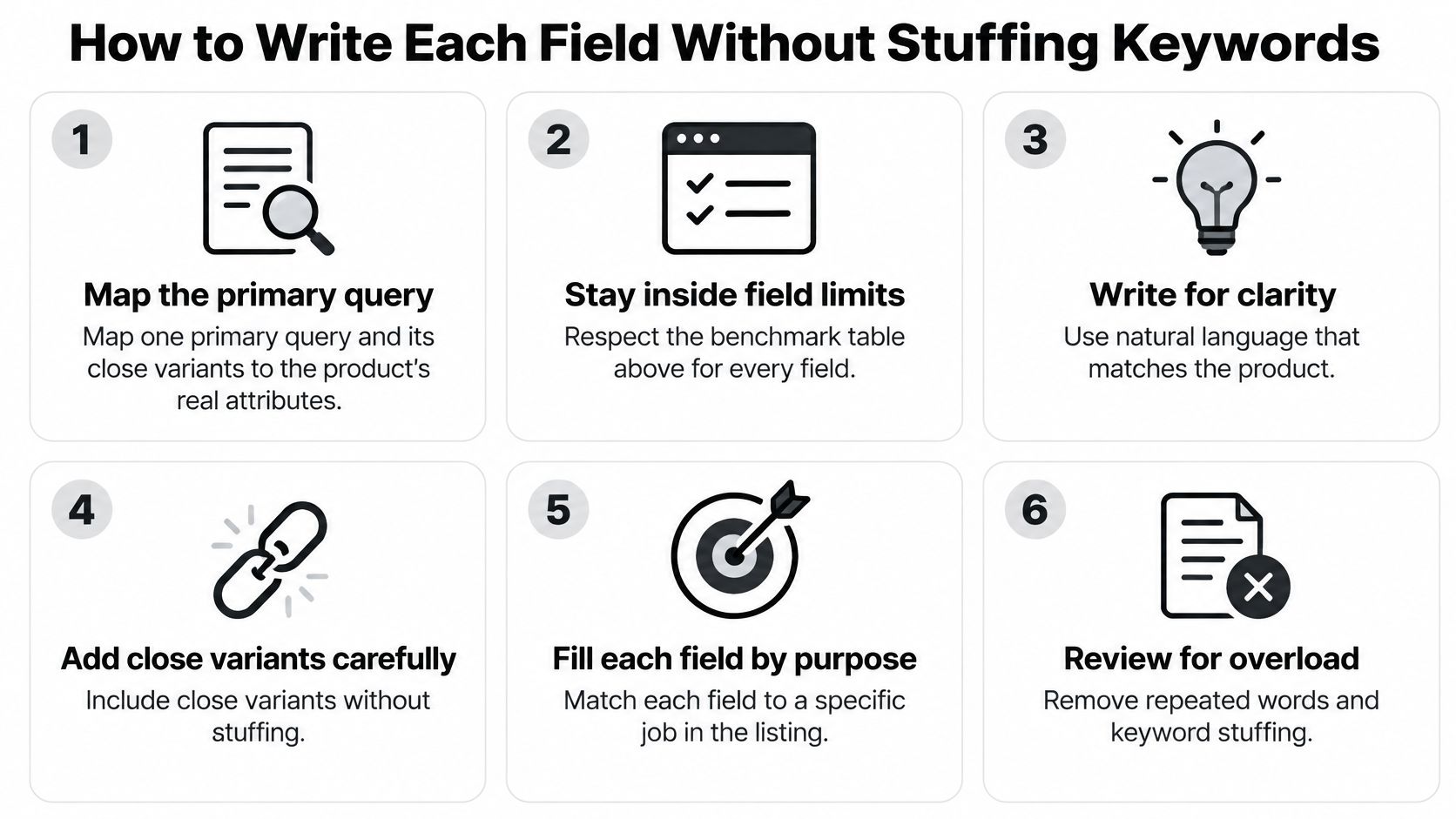
Work field by field, assuming the limits in the benchmark table. Amazon's Seller Central listing guidance is explicit that titles stay customer-oriented and free of promotional language, and that bullets should be brief, focused on one feature and its benefit (Amazon listing quality guidance).
- Map one primary query and its close variants to real product attributes before writing a word. Drop every variant the item doesn't satisfy. A term you can't support with a spec is a future bounce.
- Write the title with brand, product type and the one or two differentiators shoppers filter on. Stay inside the 75-character guidance for most categories. If you can't say it in that space, the product positioning is unclear, not the character limit.
- Give each of the five bullets one job. Material, use case, compatibility, performance, care. Place search language inside the sentence that explains the feature rather than appending a keyword block, because no shopper reads a list of terms.
- Use the description to answer the objections reviews and Q&A keep raising. Fit, compatibility and care top the list. Every claim has to be provable from the product itself.
- Fill backend search terms up to 250 bytes with variants not already in visible copy. No competitor brands, no misspellings you wouldn't show a shopper, no irrelevant terms. Exceed the limit and the field can be ignored entirely.
- Validate before publishing. Check character counts and prohibited claims, confirm each indexed term accurately describes the item, and compare the listing against two or three leading organic competitors.
Here's the trade-off. Stuffing indexes a product for queries it doesn't serve. Those impressions arrive, the click-through rate falls, and the conversion rate falls with it, which is the fastest way to teach the algorithm that your listing doesn't deserve the slot. Terms that don't describe the item reduce clarity, risk policy violations, and weaken conversion even when they index.
Every indexed term has to earn its place twice: once in the index, once in the sale.
A+ Content and Storefront Standards
A+ Content and your Storefront are where the answers get proven visually, after the click. Build each module around objections you found in Q&A and review themes, not around keyword blocks. Standard A+ Content enriches the description area with image-and-text modules and comparison charts, and that's exactly where fit and compatibility questions get settled.
- Comparison charts answer fit and compatibility questions, and they keep the shopper on your page instead of bouncing to a competitor's comparison table.
- Image and text blocks carry the use cases, one per module, matching the use-case keywords in your bullets.
- A brand story module reinforces the single differentiator you built the title around.
- Every claim must match the backend attribute values, so the A+ page and the structured product data agree. When they conflict, you've created the ambiguity that kills AI recommendations.
Lead with the main differentiator in the first module. Most shoppers scan the top of the page before they read a single bullet. For a product family, a Storefront page groups items by use case with naming that matches the listings, linking only to ASINs you control. Our Amazon Storefront design work follows that rule, because a Storefront that links to a listing you don't own hands your traffic to whoever does.
Check every module on mobile, where content stacks into a single column and half the modules on your desktop plan get cut off. Then test A+ changes one at a time against the current version rather than launching a full redesign you can't attribute. Both A+ Content and Storefronts require Brand Registry, so that's the first step if you haven't enrolled.
Test Changes and Keep the Winner
Every keyword, attribute and copy decision on a listing is a hypothesis until shoppers vote with their clicks and orders. Manage Your Experiments, inside Seller Central, is where that vote happens under controlled conditions: it splits traffic between your current content and an alternate version, then reports the performance comparison along with the probability that the winner is better. It supports tests of product titles, main images, bullet points and A+ Content.

Before you touch anything, pull a 28 to 30 day baseline for sessions, impressions, click-through rate, unit session percentage, organic keyword rank, ad-attributed sales, total contribution margin, and Buy Box or in-stock rate. Track them as one set, because a listing is a single system: a version that lifts sessions while your rank slips on target terms hasn't improved the listing. Without that baseline, every later result is an opinion.
- Write one hypothesis tied to one variable. A new front half of the title, or a new main image. Set the decision rule before the test starts and define the win in unit session percentage or margin, so you can't rationalize a tie later.
- Confirm the ASIN belongs to your brand and gets enough recent traffic. Low-volume products may not qualify at all, so check eligibility before you build the variant.
- Create the alternate content version and submit it. Version B has to be approved and applied to the reference ASIN before it can be selected in the tool.
- Open Manage Your Experiments in Seller Central and choose the matching experiment type. Title, main image, bullets or A+ Content. Keep both versions policy-compliant, or the test comes back void.
- Review weekly results without stopping early. Early leaders reverse often enough that calling a winner at week three routinely keeps the loser. Let the experiment run until it reports a high-confidence result rather than watching a date on the calendar.
- Read the performance comparison and the probability the winner is better, then publish the stronger version. A result that lands near a coin flip is inconclusive, and the next test should pull a bigger lever, like the main image. Don't leave a decided experiment running.
Judge the winner on contribution margin, not revenue. A title that lifts sessions while returns and ad cost per unit climb hasn't won anything, so run both versions through the Amazon profit calculator before you publish. Hold price, coupons, bids and inventory steady for the full run, because a stockout in week four destroys the comparison you spent weeks building.
The single-variable rule: one material change per test, everything else held flat. Two changes at once gives you a result you can't use.
If the ASIN is too low-traffic to qualify, close the benchmark gaps first and return to testing as volume builds. If you want a second opinion on the test plan before committing weeks of traffic, book a free strategy call.
Online Brand Growth runs listing work as a measured system rather than a copy refresh: keyword and market research, conversion copywriting across titles, bullets and backend terms, A+ Content and Storefront design, and A/B testing that ties each change back to contribution margin. If your listings rank but won't convert, or convert but won't rank, our team can map the gaps across your top ASINs and tell you which field to fix first. Visit Online Brand Growth to request a free audit and see where your catalog stands.