
You have a shipment sitting in the prep area, a PDF of barcodes open on the laptop, and two kinds of product in the same aisle. One line is your brand. The other is wholesale you resell. The cartons look identical, the UPCs look official, and someone on the team is about to stick the same label on both. That is how receiving exceptions start. Labels for FBA are an inventory-control decision, not a packaging chore. Pick the barcode type for each SKU first, then decide who applies it and what it costs. Print only after both gates are closed.
Which Barcode Each SKU Needs Before You Print
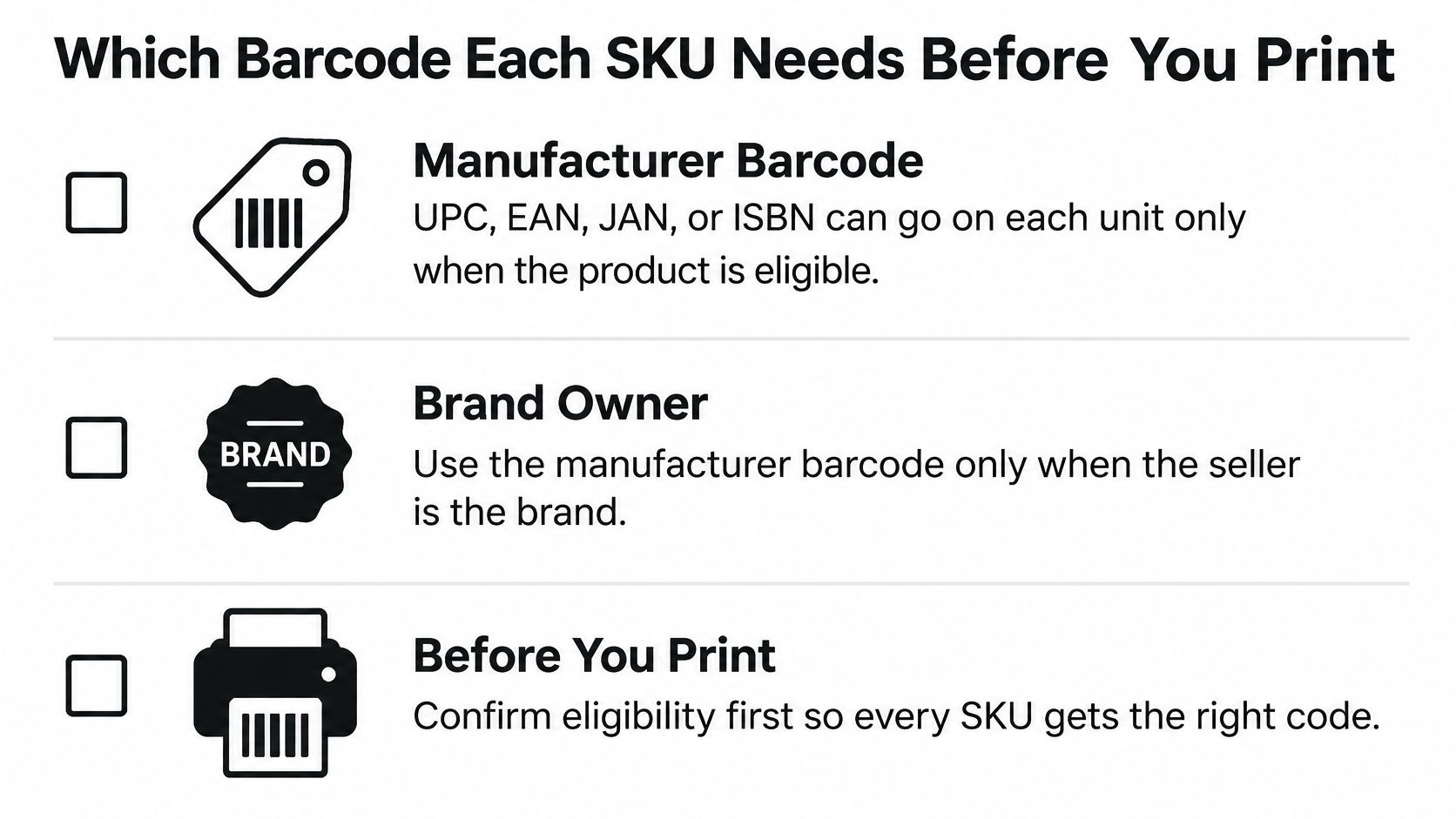
Start with seller role, because it changes the answer for most catalogs. Amazon's FBA product-label guidance states that every item sent to a fulfillment center needs a barcode. Eligible products may use a manufacturer barcode such as a UPC, EAN, JAN, or ISBN. Products that aren't eligible need an Amazon barcode, generally an FNSKU that begins with the letter X. You can print and apply those labels yourself, or you could pay Amazon to do it per item while that option still existed.
The split is now explicit. Amazon Seller Central states that, beginning March 31, 2026, brand owners may keep using eligible manufacturer barcodes without stickers, while resellers, including authorized resellers, must use Amazon barcodes even when a manufacturer barcode is already on the unit. A reseller carrying a UPC-marked kitchen gadget still applies an FNSKU to every unit. The printed UPC does not get that unit through receiving.
| Seller or product case | Barcode to use | Sticker required | Notes |
|---|---|---|---|
| Brand owner, eligible UPC, EAN, JAN or ISBN | Manufacturer barcode | No | Confirm Brand Registry status for the ASIN |
| Reseller or authorized reseller, any product | Amazon barcode (FNSKU) | Yes | Required from March 31, 2026, even when a manufacturer barcode exists |
| No eligible manufacturer barcode | Amazon barcode (FNSKU) | Yes | Check Brand Registry and GTIN exemption first |
| Brand owner with GTIN exemption | Amazon barcode (FNSKU) | Yes | The exemption does not remove labeling |
| Codabar or Vendor_barcode format | Amazon barcode (FNSKU) | Yes | Not accepted for inventory tracking |
| Case-packed item | Unit barcode on every unit | Per unit | The case label does not replace unit labels |
Walk the rows before anyone opens a label file.
Brand owner with an eligible code. No sticker, but only if you are the brand representative on a Brand Registry brand and the code maps to one ASIN. Confirm that status in Seller Central before you skip stickers.
Reseller on any product. FNSKU on every unit. Authorized does not change the rule.
No eligible manufacturer barcode, or a GTIN exemption. Still an FNSKU. An exemption gets the listing live. It does not remove the sticker.
Codabar or Vendor_barcode. Not accepted for inventory tracking, so print an FNSKU.
Case packs. The carton gets a case label, and every unit inside still gets its own barcode.
Stickerless commingling applies only to brand-owner units with an eligible manufacturer barcode. Confirm current eligibility in Seller Central Help before you rely on it. Never drop reseller units into a brand-owner commingled pool. If unauthorized sellers are already on the listing, our 360 Brand Protection program handles unauthorized seller removal and MAP enforcement so the barcode decision and the Buy Box stay aligned.
Before anything is printed, run three checks on each ASIN. Confirm the seller role in Seller Central. Confirm the ASIN and item condition. Settle the barcode type.
Practical rule: A visually correct UPC on a reseller unit is still the wrong barcode.
Choosing Who Labels and What It Costs After 2026
The cost decision comes second, and it decides who touches the unit. Amazon's FBA Label Service documentation schedules the end of the US FBA prep and item-labeling service for January 1, 2026. For shipments created before that date, eligible products could continue to be labeled at $0.55 per unit when you requested the service. After that date, you or your 3PL complete required prep and labels before the freight leaves. The service is no longer offered.
Do not import a labeling rate from another marketplace and treat it as your US cost. Build the comparison from the option you will use.
| Option | Cost per unit | What to check |
|---|---|---|
| FBA Label Service, US, shipments created before January 1, 2026 | $0.55 | Only for eligible products on shipments created before the deadline |
| FBA Label Service, US, after January 1, 2026 | Not offered | Seller or 3PL must complete labels before shipping |
| Seller-applied FNSKU labels | Label stock, printer ink, and labor per unit | Track labor per unit and scan rate |
| Third-party prep or labeling provider | Quoted per SKU | Get a per-SKU quote and written scan records |
| Brand owner with eligible manufacturer barcode | No sticker cost | Unit barcode must still be scannable |
What each option actually buys
Label service on a pre-deadline shipment. You paid $0.55 only if the shipment was created before the cutoff and the product was eligible. That fee bought Amazon's labor, not a free pass on the wrong FNSKU file.
Seller-applied labels. Your cost is stock, ink, and minutes. Time a lot of 50 units, divide by 50, and write down the scan pass rate. A cheap label that fails one in twenty scans is more expensive than a slower, clean apply. If in-house labor is the constraint, a prep center for FBA is the comparison, not a guess.
A 3PL. Take a written per-SKU quote and a barcode map before the first carton ships. "We label Amazon" is not a spec. Ask who chooses FNSKU versus manufacturer barcode, and who keeps the scan log.
Eligible brand-owner units. No sticker cost. The unit barcode still has to scan. A faded factory UPC is not a savings.
Load the per-unit label cost into the Amazon profit calculator, then add the carrying cost of extra labeled stock with the FBA storage fee calculator. I would start with seller-applied labels on the SKUs you already prep in-house, and move only the high-SKU-count lines to a provider once you have a scan record from one clean shipment.
Before you close Send to Amazon, map each SKU's requirement, confirm every unit's barcode before cartonization, and keep a scan or inspection record.
Label Size, Layout and Print Settings
Hold a printed sample against the spec before you run a roll. Amazon's label requirements say each unit needs a scannable barcode, the label includes the ASIN or FNSKU, product name, and item condition, and nonstandard formats such as Codabar and Vendor_barcode are not accepted. White space is at least 0.25 inch on the left and right and 0.125 inch on the top and bottom. The barcode stays off curves and corners and sits at least 0.25 inch from the package edge. Seller Central's barcode guidance also states labels must remain readable and scannable for 24 months, using black ink and a laser printer at approximately 300 DPI.
| Specification | Amazon requirement | Practical check |
|---|---|---|
| Label size | 1 x 2 in to 2 x 3 in | Measure a printed sample with a ruler |
| Lateral white space | At least 0.25 in left and right | Keep text and barcode clear of the edge |
| Top and bottom white space | At least 0.125 in | Check the barcode is not pushed into the margin |
| Distance from package edge | At least 0.25 in | Keep the label off corners and curves |
| Ink and stock | Black ink on white, non-reflective, removable adhesive | Reject glossy or metallic stock |
| Printer setting | Laser at about 300 DPI | Scan a sample; the PDF preview is not proof |
| Label content | ASIN or FNSKU, product name, item condition | Name and condition match the unit |
| Scannable life | Readable and scannable for 24 months | Plan extra labels for slow-moving stock |
What fails on the bench
Glossy and metallic stock reflect the scanner. Removable adhesive on matte white stock is the combination that survives a rework without tearing the retail pack. A PDF that looks sharp on screen proves nothing. Scan the physical sample with the same gun the line will use.
Name and condition have to match the unit in your hand. A "New" label on an open-box unit is a receiving problem even when the barcode scans.
Slow movers sit long enough for ink to fade and adhesive to lift. Flag them with the sales rank checker and print a spare set with the batch. If you also need campaign stickers that are not FBA barcodes, find stickers for promotional campaigns from The Print Warehouse Ltd rather than stretching an FNSKU layout into a marketing sticker.
Keep a barcode master file with SKU, ASIN, FNSKU, GTIN, marketplace, condition, and packaging version. A label can look perfect and still belong to last year's variation.
How to Print and Apply FNSKU Labels Step by Step
A navy unit wearing the black SKU's FNSKU is already a reject, and the shipment is not even closed. Decide the barcode type first, then whether you or your 3PL will apply it, and only then print.
Amazon's labeling help distinguishes manufacturer barcodes from Amazon barcodes by seller and product eligibility. Resellers use Amazon barcodes even when a manufacturer barcode exists. Brand owners may keep an eligible manufacturer barcode. A Brand Registry brand without a UPC, EAN, JAN, ISBN, or other eligible code can apply for a GTIN exemption, and products covered by that exemption still require Amazon barcode stickers. Cover other visible product barcodes unless they are serial-number or Transparency codes.
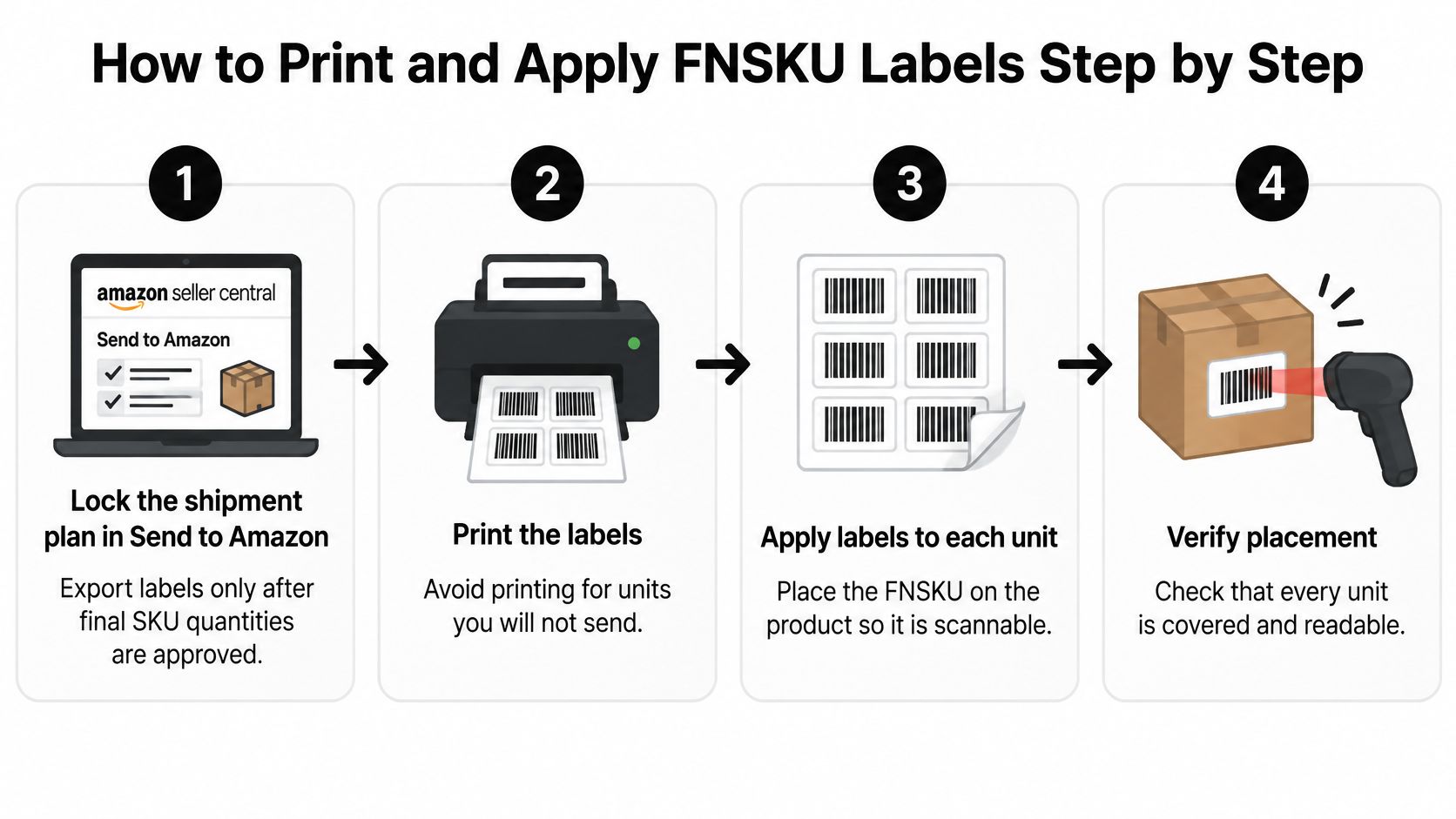
In Send to Amazon, choose whether you or your 3PL will apply the labels for each SKU before you export. That is the cost call: your labor and label stock, or the 3PL's per-unit charge. Pull the FNSKU file from that same shipment plan so the sheet count matches what you send.
- Lock the barcode type. Check Brand Registry, reseller status, and any GTIN exemption for that ASIN before a single sheet prints. Skipping this on a "we always use UPCs" account is the slip that strands a wholesale line.
- Name who applies them. Set you or your 3PL on every SKU in the plan. Do not export until that owner is filled in.
- Lock the shipment quantities. Export labels only after final SKU quantities are approved. Printing for units you will not send is how leftover sheets get applied to the next ASIN.
- Print the file you just exported. Run the batch on the stock and printer setting already chosen for that SKU. A thermal shortcut on the wrong stock is the usual quality miss, so scan one physical label before the rest of the roll.
- Match the unit. ASIN or FNSKU, size, color, and condition have to match the unit in hand. Physically separate look-alike variants before the first sticker goes down, or a navy unit gets the black label.
- Cover the other codes. Opaque-cover legacy UPC, EAN, and ISBN barcodes. Leave serial-number and Transparency codes visible. A half-covered UPC still scans.
- Place it on a flat face. Keep it off edges, curves, seams, and shrink-wrap folds. A curved bottle neck is the classic reject. If you add bubble wrap or another overpack, put the label on the exterior so it scans without opening the prep.
- Scan twice, then keep the log. Scan one unit per production lot and one unit after prep. Prep tape is what covers a barcode that scanned fine on the bare unit. Save that scan log before you close the shipment. A closed plan with no scan file leaves you arguing from memory.
The single rule most likely to get a unit rejected is a second scannable barcode left visible beside the FNSKU.
I recommend treating a clean scan of the right product and condition, on the finished prep, as the only pass. Receiving exceptions start from the ones you skipped.
This walkthrough shows the same receive-ready sequence on camera.
Carton and Pallet Labels Amazon Checks Separately
A common carton reject is a box ID stuck across a flap fold. Every unit inside scans, but the dock still refuses the box because the shipment barcode is creased.
Amazon's shipment-label requirements treat carton and pallet labels as separate from the unit FNSKU or manufacturer barcode. Every box and pallet needs its own shipment identification. Each box needs a unique FBA box ID from the shipment workflow. Do not photocopy it, reuse it, or edit it for another box.
Standard size is 3 1/3 by 4 inches (8.47 by 10.16 cm). You can print on 4 by 6 inch thermal paper (10 by 15 cm). The carrier label, UPS or FedEx, goes on the same box, on a flat uncovered face, away from folds, corners, edges, and tape seams, so both barcodes scan. Each pallet needs four pallet labels, one at the top center of each side.
| Label | Size | Placement |
|---|---|---|
| FBA box ID | 3 1/3 by 4 in, or 4 by 6 in thermal | Flat face, unique to that box, never reused |
| Carrier label | Carrier format | Same box, uncovered, clear of the box ID |
| Pallet label | From the shipment workflow | Four labels, top center of each side |
| Unit barcode | Per the unit spec | On every unit, including units inside a case pack |
A carton label never replaces the product barcode on case-packed units. Receiving can scan the box and still fail the contents.
Carton strength matters once labels have to stay flat through a sort center. Buy Cheap Double Wall Boxes Online from Storage & Removal Boxes Ltd if single-wall cartons are crushing under your case weight and folding the label with the flap. Pair that with a packaging setup built for ecommerce so the outer pack and the label survive the same trip.
Bench-check every carton before it leaves the table. The box is sealed. The label is flat. Both barcodes are visible. The box ID matches the line on the shipment plan.
Fixing Labels That Receiving Rejects
Most rejects come from a short list. Fix them on the next shipment cycle, and relabel before cartonization whenever you can. Relabeling after receipt costs more and holds the units out of available inventory.
| Symptom | Likely cause | Fix |
|---|---|---|
| Barcode will not scan | Smudged ink, glossy stock, or printer below 300 DPI | Reprint on matte stock at 300 DPI and scan a sample |
| Two barcodes scan on one unit | Legacy UPC, EAN, or ISBN still visible | Cover it with an opaque label, keeping only the permitted codes |
| Wrong variation received | Labels from an old ASIN or mixed variant sheets | Match ASIN, size, color, and condition; separate look-alikes |
| Label curls or peels | Applied on a curve, seam, or shrink-wrap fold | Reapply on a flat area at least 0.25 in from the edge |
| Box ID or carrier label unreadable | Label across a fold, tape, or corner | Relabel on a flat, uncovered surface |
| Units stay unreceived after labeling | Wrong barcode type for the seller role | Recheck seller role and barcode type, then open a case |
Work the row that matches the photo
Won't scan. Reprint. Do not press harder on a glossy label and hope the gun catches it. Scan the new sample before you touch the rest of the lot.
Two codes. Cover the legacy barcode fully. A transparent overlay is not a cover. Leave Transparency and serial codes alone.
Wrong variation. Stop the line, split the sheets, and match ASIN, size, color, and condition to the physical unit. Mixed navy and black sheets are how the wrong variation gets received.
Curl or peel. Peel it off and reapply on a flat panel, clear of the edge. Do not smooth a label over a shrink-wrap fold.
Dead box ID. Print a new box ID for that box only. Never copy the neighbor's label.
Still unreceived. The barcode type may not match the seller role on that ASIN. Correct the labels, then open a case with the scan record attached. Our FBA logistics work includes account health monitoring, case management, and stranded-inventory resolution when a receiving hold needs a documented case rather than another sticker.
Pre-Send Gate Before Each Shipment
The cartons are taped, the FNSKU sheets are printed, and the carrier pickup is already on the calendar. Hold the send. Three records still have to agree before a single carton leaves.
The barcode master file shows the current packaging version for every SKU. Every saved scan record matches its shipment-plan line. Any labeling provider has delivered its per-SKU barcode map in writing.
Recheck seller role on any ASIN whose supply chain changed, a new distributor or a wholesale partner included. If a check fails, hold the shipment and fix the cause from the symptom table. A rejected carton costs more to recover than a delayed send.
Shipment creation, labeling, and inbound management sit inside the same FBA inventory and replenishment workflow, with coordination finished before freight is booked. If the cartons are ready and the forwarder is next, review Amazon FBA freight forwarders only after this gate is clean.
Book a call with Online Brand Growth to review your label process before the next shipment.
Online Brand Growth handles FBA shipment creation, labeling, and inbound management for brands that need inventory received cleanly, plus account health monitoring and stranded-inventory resolution when a label problem turns into a case. If the next send still mixes reseller units and brand-owner barcodes, use that call to work the SKUs already on the plan, before anyone prints.