
The popular advice on Amazon for Business pricing is backwards. Most guides tell you to pick a headline discount, publish it, and wait for bulk orders. That order guarantees you discover the margin problem after buyers have already taken the price. I would start with contribution margin after every Amazon cost, then work backwards to the deepest discount each SKU can carry. A 10% tier that looks competitive can lose money once referral fees, FBA fulfillment, storage and advertising land. Judge the discount by what's left, not by what's advertised.
Amazon Business Pricing Models and Setup
Amazon gives you two pricing layers on one listing, plus a quote route that sits outside the listing. Every decision that follows depends on which route a buyer falls into, because the display rule and the fee treatment change with the route. According to the Seller Central help page on business prices and quantity discounts, Amazon Business uses a two-layer pricing structure. The business price applies to eligible business buyers regardless of purchase quantity. Quantity discounts reduce the per-unit price at seller-defined volume tiers. Amazon recommends at least a 2% business-price discount or a 2% quantity discount to improve the likelihood the listing displays a savings percentage and strikethrough price, and discounts totaling at least 3% below the standard price may qualify for reduced fees on eligible business orders.
Amazon Business Pricing Models and When They Apply
| Pricing model | Who sees it | How it is set | Display rule |
|---|---|---|---|
| Business price | Eligible business buyers at any quantity | One customer-specific price per listing, set manually or with automated pricing | At least 2% below standard to recommend a savings percentage |
| Quantity discount | Eligible business buyers ordering at volume | Percentage off the business price or fixed per-unit price at each threshold | At least 2% at a tier to recommend a savings percentage |
| Business price plus tiers | Business buyers ordering in volume | Both layers stack on the same listing | Combined discount of 3% or more below standard can qualify for reduced fees |
| Negotiated or custom quote | Buyers who receive a quote, including government buyers | Quote issued outside the standard listing price | Price follows the quoted terms, not the listing display rule |
Business Prime sits on the buyer side of the account. It affects what a buyer expects on delivery, but it doesn't set your price. Confirm current eligibility and the benefit list in Seller Central before you quote any benefit to a buyer or build it into a pitch. Don't hard-code a benefit into your pricing sheet from memory.
Set the Two Layers Up in the Right Order
- Confirm the standard consumer price first. Every business discount is measured against it. If your standard price is drifting because of a coupon, a deal or a repricer, your business tiers drift with it and the 2% and 3% thresholds move underneath you.
- Set the business price at least 2% below standard. This is the single-unit price an eligible business buyer sees before any volume logic. Below that line you're less likely to get the strikethrough, and buyers comparing tabs see no reason to use the business account.
- Add quantity tiers as a percentage off the business price or a fixed per-unit price. Percentage tiers are easier to maintain when prices change. Fixed prices give you exact control at high volumes, but you'll need to revisit every tier when the base price moves.
- Load the rules through inventory tools, feeds or XML files, or switch on Amazon's automated pricing. Pick one system of record. The common slip is setting tiers manually, then letting an inventory feed overwrite them on the next upload.
- View the listing as a business buyer. Check one, ten and fifty units. Confirm the strikethrough, the savings percentage and the per-unit price at each threshold before a real buyer does.
- Check the combined discount at each tier against the 3% threshold. A 2% business price plus a shallow tier can cross 3% without anyone noticing, or fall just short of it. Do the addition deliberately, tier by tier, before you publish.
Check before publishing: a tier priced above the standard price is possible if your standard price drops after you've set fixed per-unit tiers. Re-run the comparison every time the consumer price changes.
Pick the Model That Matches How the Product Is Bought
Case packs, replenishment goods, office supplies and other repeat-purchase products usually suit quantity tiers, because buyers already order in volume and expect the per-unit price to step down. Occasional office purchases suit a flat business price, because the buyer won't reach a tier threshold and a small visible saving at one unit does the work. The test is simple. Buyers ordering one, ten and fifty units should each see the price you expected, with the savings display showing where you planned it. If any of those three quantities surprises you, the setup isn't done.
Fee Thresholds on Orders Over $1,000
A business discount can reduce referral fees on part of an order, but the fee saving may be smaller than the margin given up. Amazon calculates business savings against a reference price, which can include the product's 90-day median price paid by customers. If you have run deals for several months, the reference price may be lower than your list price.
The $1,000 Rule, Worked Once
For an eligible single-product order over $1,000, a business price or quantity discount of at least 3% below the standard price can mean standard referral fees apply to the first $1,000, with a lower discounted rate applying to the value above that threshold. Check the Amazon Seller Central guidance on business pricing and discounted referral fees for the applicable conditions.
Consider a hypothetical $1,200 single-product order with a 3% business discount. The first $1,000 is charged at the standard referral rate; only the remaining $200 may qualify for the lower rate. Yet the 3% discount reduces the selling price across the whole order. Compare the margin surrendered on all units with the referral fees saved on the portion above $1,000.
Use the Amazon FBA fee breakdown to account for referral fees alongside other charges. The discount only pays if the fee saving outweighs the margin lost.
Four Checks Before You Chase the Threshold
- Check the single-product order value. A mixed basket across several ASINs does not meet a single-product threshold.
- Check the discount against the standard price. Include both the business price and any quantity discount at the order quantity.
- Check whether the discounted referral rate is lower. If it is not, there is no fee saving to offset the discount.
- Compare the full order economics. Count the discount on every unit, then compare it with the referral fee reduction on eligible value above $1,000.
Review order sizes for your bulk SKUs before setting a tier around this threshold. If orders rarely exceed $1,000, the discount may reduce margin without earning a referral-fee benefit.
Quantity Tiers and Contribution Margin Math
A deeper quantity discount can increase order size while reducing contribution margin on every unit. Compare the landed cost and margin after all Amazon fees, not the discount percentage alone.
The table uses an illustrative 15% referral fee on a $50 product. These figures show what remains after the referral fee only. COGS, fulfillment, storage and advertising still need to come out, so the final column is not profit.
Price Left After Referral Fee by Quantity Tier on a $50 Product
| Price tier | Discount vs standard | Per-unit price | Referral fee at 15% | Left before COGS and fulfillment |
|---|---|---|---|---|
| Standard retail | 0% | $50.00 | $7.50 | $42.50 |
| Business price only | 2% | $49.00 | $7.35 | $41.65 |
| Quantity tier, 10+ units | 10% | $45.00 | $6.75 | $38.25 |
| Quantity tier, 50+ units | 15% | $42.50 | $6.38 | $36.12 |
Walk the 10-Unit Tier Line by Line
At the 10-unit tier, a 10% discount takes the unit price from $50.00 to $45.00. A 15% referral fee on $45.00 is $6.75, leaving $38.25 before other costs. Subtract COGS, the FBA fulfillment fee for the product's size tier, storage, and advertising cost per unit. Calculate ad cost from actual spend divided by units sold, rather than using target ACoS.
A useful cost model separates fixed, percentage-based, per-unit and time-based charges. How companies calculate their costs explains the broader cost-building approach. Amazon's charges vary by unit price, product dimensions, storage time and advertising, so an average across SKUs can hide an unprofitable tier.
Sellers can set quantity discounts as a percentage reduction from the business price or as a fixed per-unit price at specified thresholds. Amazon's Seller Central guide to creating quantity discounts describes configuration through inventory tools, feeds, XML files or automated pricing. It also recommends a business-price or quantity discount of at least 2% to improve the likelihood that buyers see a savings percentage and strikethrough price.
Review how the tiers appear to buyers before setting your thresholds.
The Trap in Referral-Only Math
A product can clear the referral-fee calculation and still lose money after fulfillment and inventory costs. Slow-moving stock can also incur aged-inventory surcharges. A tier designed for fast bulk turnover may reduce contribution margin if orders arrive more slowly than expected.
Model every tier against contribution margin, not gross revenue. Keep the discount shallow where unit economics are tight. Offer a deeper tier only when lower handling, fulfillment or selling costs can fund it.
A case shipped as one unit may cost less to handle than the same quantity shipped as individual picks. If each unit still incurs the same FBA fulfillment fee, the discount comes directly out of margin. Run the tier through the Amazon profit calculator before quoting it. Online Brand Growth offers this free full P&L calculator to model referral, FBA fulfillment, storage, inbound placement, ads and COGS together.
When Negotiated Quotes Beat Marketplace Buying
Headline discount percentages don't show what a buyer pays. They show the unit price on one line of a much longer bill. A business-only price can be financially inferior once the required quantity increases working capital, creates obsolete inventory or blocks supplier diversification. The Seller Central page on Amazon Business features for sellers covers business-only pricing, bulk discounts, custom quotes, tax-exemption tools and purchasing controls, and Amazon says its government marketplace provides access to more than 53 million goods and services and supports bulk buying and custom quotes. None of that establishes a delivered-cost comparison on its own.
Three Purchase Routes Compared on Total Cost
| Purchase route | Price basis | Hidden costs to model | Best when |
|---|---|---|---|
| Single-unit purchase | Standard or business price per unit | Shipping, tax and approval time | The need is one unit or a trial order |
| Business-account bulk order | Tiered per-unit business price | Working capital, storage and overstock risk | Demand is steady and predictable |
| Negotiated or custom quote | Quoted price for agreed volume | Quote lead time, contract terms and supplier lock-in | Volume is large, or tax-exempt or government buying needs formal terms |
The Framework for a True Comparison
Price each route on the same basis. Include unit price, minimum order quantity, shipping or FBA fulfillment, taxes, payment terms, approval overhead, substitution risk and the cost of holding excess inventory. Then divide by usable units, not units ordered. If a bulk tier forces a buyer to order fifty units to use forty before a spec changes, the ten wasted units belong in the cost of the forty.
A negotiated quote wins when volume is large enough for a supplier to hold a price, when the buyer is tax-exempt in a jurisdiction where the exemption changes the effective price, or when procurement needs formal terms, approval trails and payment conditions that a marketplace listing can't carry. Government buying is the clearest case, since documentation and compliance often matter as much as the per-unit figure. A marketplace bulk order wins when demand is steady, the product doesn't go obsolete, and speed beats paperwork.
For brands selling through Amazon Business, run the mirror test. Check whether your business discounts expand incremental volume or merely cannibalize consumer orders at a lower net price. If the same buyers were already purchasing at standard price, the tier hasn't grown anything. It's repriced existing demand. Run each scenario on one SKU, compare landed cost per usable unit with cash tied up included, and choose the route with the lowest total. One SKU, three routes, one honest number each.
What Business Pricing Changes for Brands
A business discount can increase unit volume while reducing contribution margin. Judge each tier by landed cost and profit after Amazon fees, not by its headline discount.
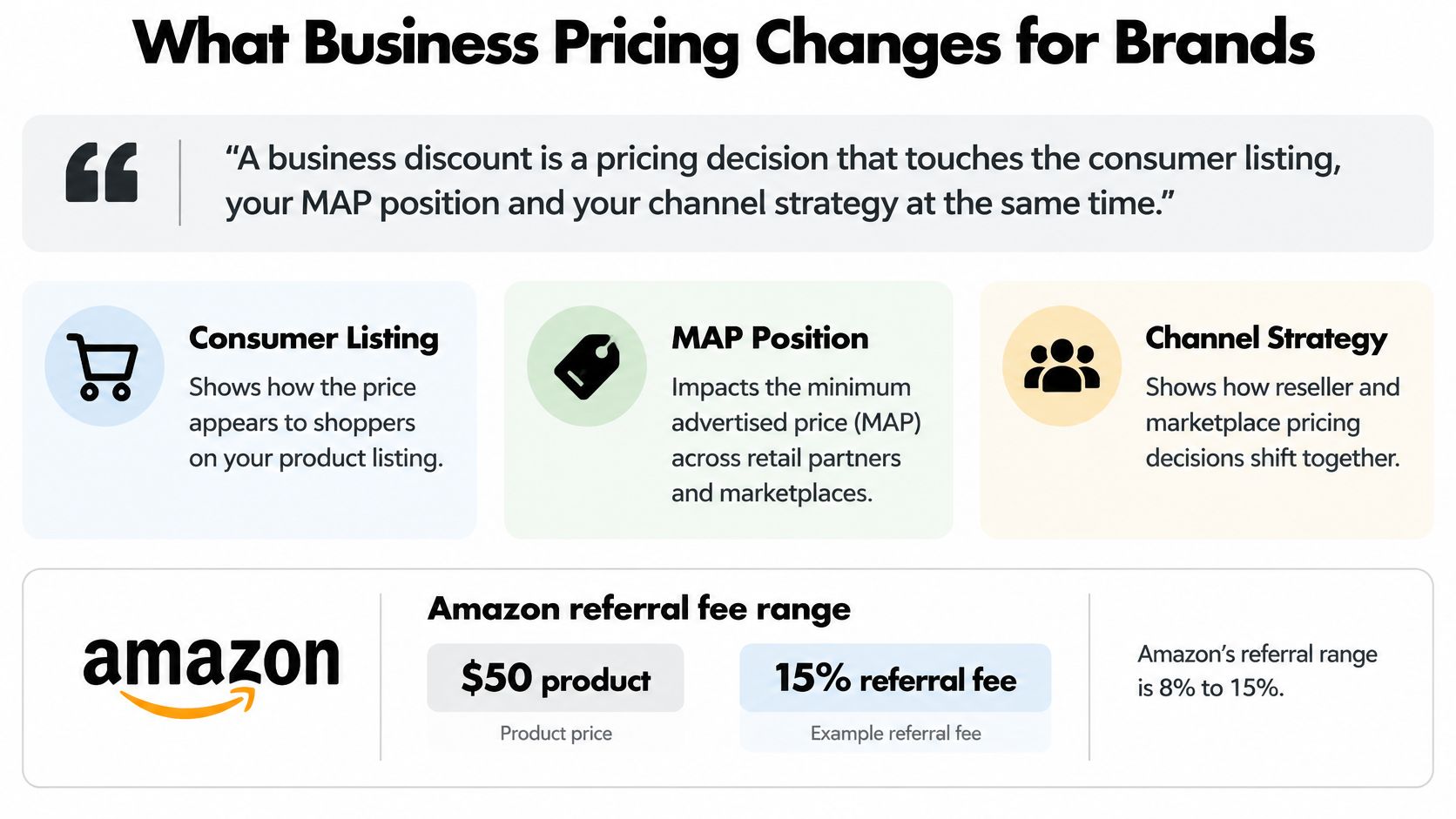
Amazon's business discount insights post reports that, in 2024, products using quantity discounts averaged a 20% increase in sales and a 25% increase in units sold. Those figures describe averages, not a forecast for your SKU. They also do not show whether the extra units came from new business buyers or from existing buyers paying less.
Decide Your Price Position Before You Test
Set the business price in relation to your consumer prices on Amazon, your DTC price and any retail commitments. A deep tier can undermine a premium position or put your retail partners at a disadvantage. Online Brand Growth works within a brand's overall strategy, including pricing Amazon higher than DTC and limiting one-time sales or promotions when the brand chooses.
Then check the margin at each tier. Subtract landed product cost and Amazon fees from the discounted selling price. If the lower price draws orders that would otherwise have sold at full price, the discount reduces contribution without adding demand.
MAP enforcement also affects the price buyers see. Unauthorized resellers may undercut your offer, so review the actual listings and address violations through Amazon Brand Registry enforcement services. Read more about what MAP means in pricing. Online Brand Growth also provides business intelligence and reporting, product launch services, browse node optimization and product review consulting.
The Weekly Monitoring List
- Tier sell-through against forecast. Slow sales at a discounted tier can leave inventory tied up without the expected volume.
- Consumer versus business unit split. Compare both channels. If business orders rise while total units stay flat, the tier may be shifting existing demand rather than creating new sales.
- MAP violations on the business listing. Review live offers, not only your own price.
- Rank movement after each tier change. Use the Sales Rank Checker and compare movement with unit sales and contribution margin. A rank change alone does not show whether the tier improved profit.
Confirm Your Margin Before You Set Business Tiers
A discount can lift unit sales and still reduce profit. Before enabling business tiers, calculate contribution at each price after landed cost, Amazon fees, advertising, and storage. Amazon Business pricing requires a Professional selling plan. The Seller Central selling fee schedule explains that referral fees are calculated on the total sales price, including delivery and gift-wrapping charges, but excluding taxes calculated through Amazon's tax calculation services. Amazon charges no separate fee for Amazon Business features. The Professional plan costs $39.99 per month; standard subscription, selling, and FBA fees still apply.
The Go or No-Go Routine
- Confirm landed cost per unit. Include COGS, inbound placement, FBA fees, and tax treatment. Use this guide to structure your contribution margin calculation.
- Run each tier through the profit calculator. The Amazon profit calculator is a free full P&L calculator that models Amazon's 2026 fee structure, including referral, FBA fulfillment, storage, inbound placement, ads, and COGS. Check that contribution remains positive at every tier.
- Estimate storage exposure at expected volume. The FBA storage fee calculator shows monthly storage costs by product dimensions. Flag inventory that could pass 181 days, when aged-inventory surcharges begin.
- Check competitive position. Use the sales rank checker to assess whether the tier could help improve rank or reduce margin on a product already holding its position.
- Check the listing at every tier. View it as a business buyer and confirm the savings percentage and strikethrough display as intended.
- Test one tier on one SKU for a fixed window. Compare its contribution and sell-through with a control SKU that has no tier. The comparison helps separate the pricing effect from seasonal movement.
Go live only if each tier keeps positive contribution after all costs and the control comparison supports the change. Otherwise, keep the standard price. A bulk order that loses money is not growth.
If your brand already spends at least a few thousand dollars a month on Amazon ads, book a strategy call with Online Brand Growth through the booking page to review tier economics before launch.
If your business tiers were set from a headline discount rather than a contribution margin floor, review them SKU by SKU against referral, FBA, storage, advertising, and COGS costs. Visit Online Brand Growth to book a strategy call and review your Amazon for Business pricing before buyers do.