
Amazon requires ingestible FBA inventory to arrive with enough shelf life for full consumer use plus 90 days. Amazon can also remove units for disposal without reimbursement once they fall within 50 days of the printed expiration date.
That gap is where food brands lose margin. A product can be legally labeled, correctly listed, and still become an operational liability because transit, receiving, storage, customer delivery, and consumption consume the shelf life Amazon expects you to preserve. The practical answer to Amazon FBA expiration date requirements for food products is to manage dates as an operating budget, not as a packaging detail.
The Two Thresholds That Define FBA Food Compliance
Amazon's food program runs on two deadlines. The first applies when inventory reaches an FBA fulfillment center. The product must have enough remaining shelf life for the customer to consume it fully, plus an additional 90 days, according to Amazon's expiration-dated inventory policy. The second deadline affects inventory already in the network. Food and beverage units within 50 days of their expiration date may be removed for disposal without reimbursement under Amazon's food and beverage guidance.
Treat those dates as the usable budget for every production run. The printed date is the end of the product's labeled life, but it isn't the amount of time available for FBA selling. A twelve-month product cannot be planned as though all twelve months are available to Amazon. Manufacturing, freight, receiving, storage, customer delivery, and consumption must fit before the product reaches its expiration date, while the receipt condition must still preserve the required 90-day buffer.
Receipt success is different from sell-through success
A shipment can pass the first test and still fail financially. If a product arrives with sufficient remaining life, Amazon may receive it. But if sales velocity slows, a promotion underperforms, or replenishment lands before the existing lot sells through, units can move toward the 50-day disposal window while still appearing healthy in a standard inventory report.
That makes the interval between the 90-day receipt requirement and the 50-day removal cutoff an operating decision zone. You can use it to accelerate sell-through, stop replenishment, adjust advertising, or create a removal plan. Waiting for the printed date gives Amazon's earlier cutoff control over your margin.
Practical rule: Track the date at which a unit becomes operationally unsellable, not just the date printed on the package.
Production timing matters just as much as shipment timing. A batch produced too early may have attractive unit economics but insufficient life by the time it reaches Amazon. A small, frequent batch may protect freshness but increase manufacturing, freight, and handling costs. The right answer depends on demand stability, but the decision should begin with the inbound receipt date and work backward from the product's usable life.
Dates are part of demand planning
Forecasting food inventory requires more than estimating units sold. You need to know which lot is being sold, how long that lot can remain in the network, and when the next shipment must arrive without creating a mixed-date problem. Promotions can help clear inventory, but discounting close-dated units may reduce contribution margin. Removing them avoids customer exposure but creates another cost and leaves no reimbursement for units disposed of under the policy.
This is why date compliance belongs in the operating budget. The budget includes lost selling time, expedited inbound freight, promotional concessions, removal decisions, disposal exposure, and the cost of making smaller production runs. Brands that monitor only stock quantity will see the problem late. Brands that monitor remaining sellable life can act while the inventory still has options.
How Amazon Calculates Shelf Life and Minimum Remaining Dates
Amazon calculates shelf life from the date inventory is received and checked in at the fulfillment center. For food brands, that turns shelf life into a cost-control issue, not just a packaging rule. If production, freight, appointment delays, or receiving backlog consume too many days before check-in, the batch may still look commercially fine but fail FBA timing rules. Amazon also requires enough remaining life to cover customer use plus the extra 90-day buffer described in Amazon's expiration-date policy.
That receipt-date clock is the number to build your inbound plan around.
Amazon's guidance gives category-specific examples of minimum remaining shelf life. Use them as planning limits, then confirm the exact requirement on the ASIN and category before shipping. Amazon's category examples are listed below, per the same policy:
| Category | Minimum Remaining Shelf Life | Replenishment Implication |
|---|---|---|
| Chips and snacks | 90 days | Keep batches tight and transit short, because there is little room for production or freight slippage. |
| Dried fruit and pet food | 180 days | Add more lead-time control to production and inbound scheduling, especially on slower SKUs. |
| Beverages and oils | 270 days | Forecast against the full inbound cycle and avoid sending more than the network can absorb. |
| Pasta | 365 days | Longer life gives more flexibility, but excess inventory can still age into unsellable status. |
| Candy and canned food | 540 days | Longer dating supports wider replenishment intervals, but lot control still matters. |
Those numbers should change how you buy, produce, and ship. A snack line with quick turns can support frequent replenishment if your inbound path is reliable. A slower pet food SKU often needs smaller, more deliberate lots even with a longer category window, because the key constraint is sell-through before the remaining life gets too short. I treat the shipment target as the quantity the network can sell within the usable dating window, not the quantity that fills a pallet most efficiently.
FIFO is often the wrong operating rule for expiration-dated FBA inventory. Inventory received first is not always the lot that expires first, especially when batches are produced on different dates or routed through different freight paths. FEFO, first expired, first out, is the better discipline. It protects margin because it pushes the earliest compliant lot into saleable stock first and reduces the odds that a newer receipt date hides an older expiration date.
Carton discipline matters too. Amazon requires each ASIN within one inbound box to have a single expiration date. Case packs and multipacks need the date on the outer packaging and on each individual unit. If teams mix lots because the units share the same UPC or FNSKU, receiving problems start before the product even reaches active stock.
A lower production cost per unit does not help if the lot arrives with too little sellable life.
The working file for each batch should be simple and operational: production date, expiration date, units available, shipment destination, expected receipt date, and projected depletion date. Review it before approving the production run. Review it again before creating the shipment. If the receipt window burns too much shelf life, hold the lot back, reroute it, rework it, or sell it through another channel. Hoping Amazon checks it in faster is not a plan.
Catalog setup also affects this process more than many brands expect. Expiration attributes, pack relationships, and variation structure need to stay consistent across listings and feeds, especially if you are selling singles, multipacks, and bundles off the same core item. Our guide to Amazon catalog feed management covers the feed side of that work.
Bundles deserve extra caution. They can improve average order value, but they also compress the usable dating window because every component has to support the same customer promise and the outer pack has to stay readable and consistent. In practice, a slow-moving bundle can become a date-risk faster than the individual units it contains.
ASIN Setup, Labeling Rules, and Inbound Date Discipline
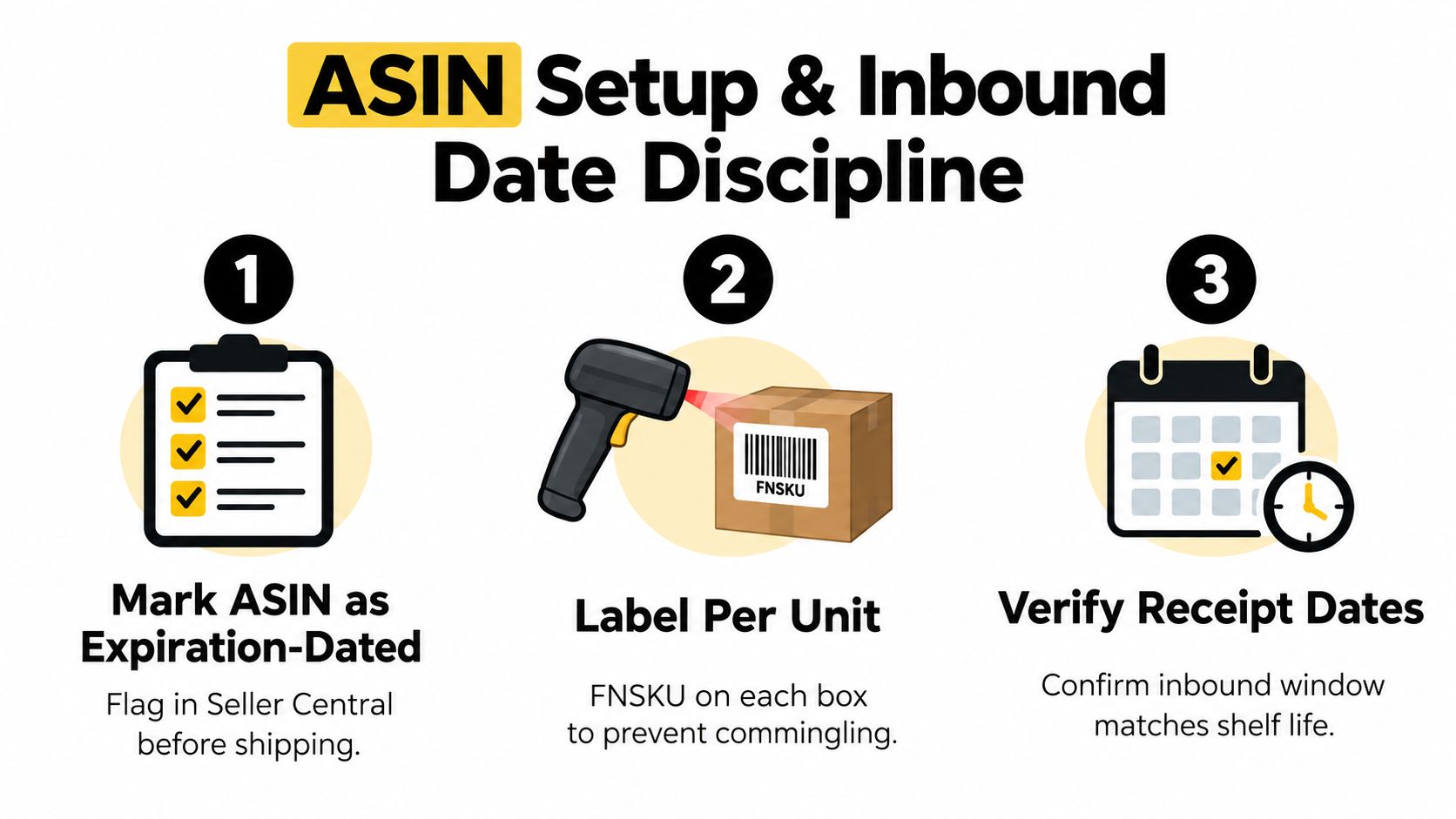
Date compliance starts in Seller Central, before inventory leaves the production site. Mark the ASIN as an expiration-dated product, then confirm the listing and shipment workflow captures the date information Amazon expects. Don't assume that a compliant retail package automatically creates a compliant FBA shipment.
Prepare every unit for a physical inspection
Amazon requires a clearly readable expiration date or manufacturing date on ingestible products. A lot number alone isn't sufficient. The date must remain visible after applying the FBA label, and if the label covers it, the date needs to be reprinted on the unit.
Use this pre-flight sequence:
- Confirm the ASIN setting. Mark the product as expiration-dated in Seller Central before shipment creation.
- Inspect the retail unit. Verify that the date is printed or clearly displayed, legible, and consistent across the shipment.
- Apply the correct unit label. When manufacturer-barcode eligibility doesn't apply, use an individual FBA label on every unit.
- Protect the date. Place the FBA label where it won't cover the expiration or manufacturing date, ingredients, warnings, or other required information.
- Match the lot. Ensure every unit for the same SKU in one inbound shipment carries the same expiration date.
- Check the outer package. Bundles, sets, baskets, case packs, and multipacks need readable date information where Amazon requires it, including the individual units.
A prep center can add control, but outsourcing doesn't transfer responsibility. The prep center should scan the ASIN, verify the lot, inspect label placement, and record exceptions before cartonization. A documented FBA prep center workflow is useful when production happens in one location and fulfillment preparation happens in another.
Don't mix dates to fill a carton
A mixed-date carton may look efficient in a warehouse, but it creates a traceability problem at receiving. Keep the shipment lot-specific, label the carton clearly in your internal records, and reject any unit that doesn't match the approved date for that SKU shipment.
For practical packaging checks that go beyond the date itself, use this guide to avoid FBA shipment rejections. The same pre-flight mindset applies to food dates. A shipment should be checked at the unit level before it reaches Amazon, not after a receiving exception appears.
The receiving team should photograph or record the date on a sample of each case before dispatch. Keep the production lot, expiration date, unit count, carton count, and shipment ID together. That record supports faster investigation if Amazon receives the shipment with an unexpected quantity or flags the ASIN for dating.
Regulatory Date Labels Versus Amazon's Stricter Platform Rules
Federal food-labeling legality and FBA eligibility aren't the same test. The FDA's consumer guidance on food date labels explains that, except for infant formula, federal law generally doesn't require quality-based date labels. “Best if Used By” primarily communicates expected flavor or quality, rather than establishing a universal federal safety deadline.
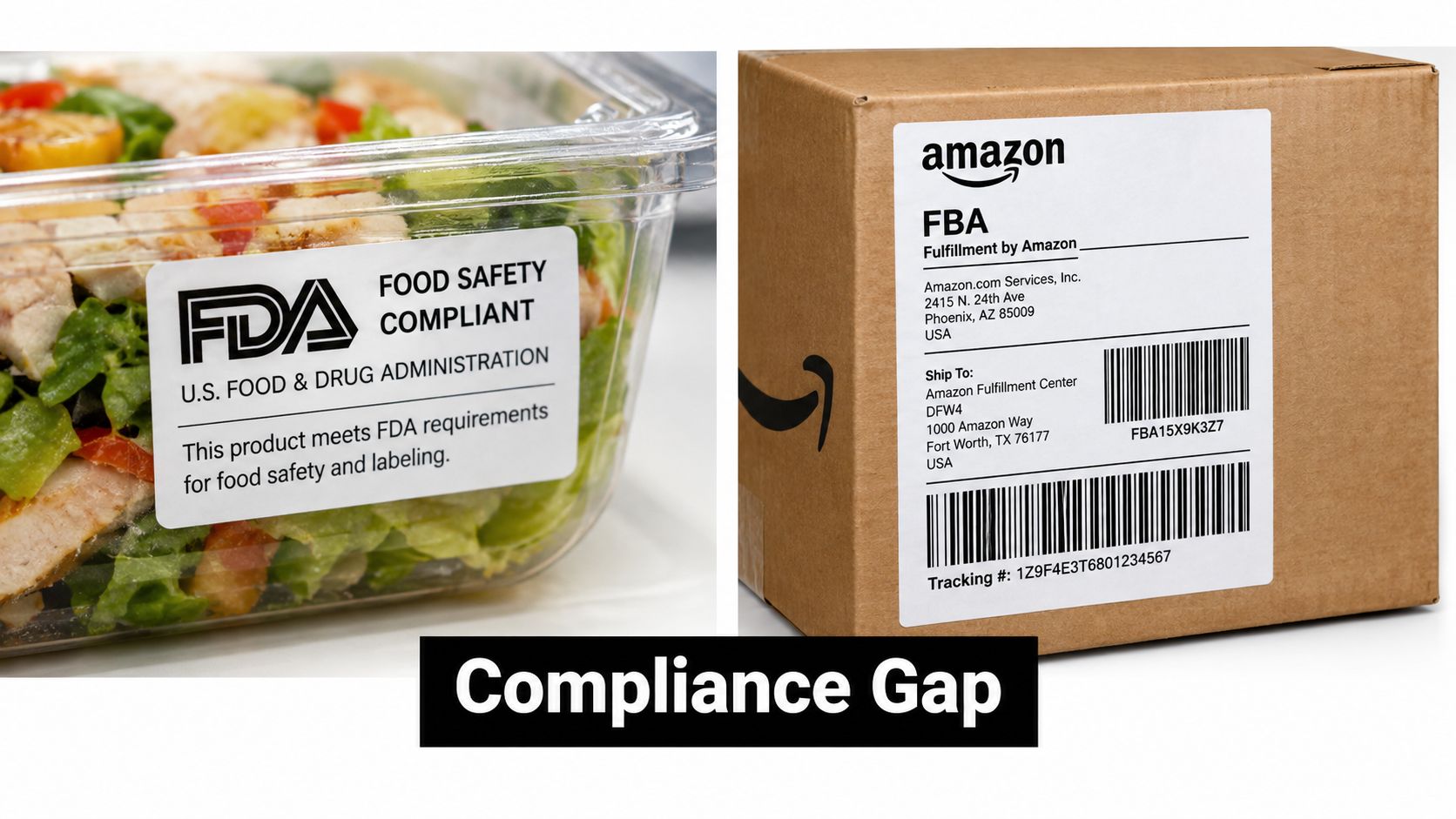
Amazon applies a stricter platform rule to ingestible FBA inventory. Amazon expects a clearly readable expiration date or manufacturing date, treats “best by” and “sell by” as equivalent to expiration dates, and doesn't treat a lot number by itself as sufficient. Infant food and infant formula have an even stricter requirement: both must display a clearly labeled expiration date.
The decision brands should make before listing
If the package uses a quality date rather than a conventional expiration date, document how that date maps to the product's shelf life before sending inventory. Confirm the ASIN's expiration-related attributes in Seller Central, establish a consistent date format, and retain manufacturing and shelf-life documentation that explains the date applied to each lot.
The process should answer four questions:
- What date appears on the unit? Record whether it is a best-by, sell-by, expiration, or manufacturing date.
- What date does Seller Central require? Configure the ASIN and shipment information consistently with the physical package.
- How is shelf life established? Keep the manufacturer's records and internal lot documentation available if Amazon questions the listing.
- Can the customer read the date? Check the final unit after FBA labels, over-labels, bundles, and shrink wrap are applied.
The mistake is treating regulatory permissibility as a guarantee of operational acceptance. A product can satisfy the FDA's general approach to quality-based dating and still create an Amazon receiving problem if the unit lacks the clearly displayed date Amazon expects. Resolve that gap before production, because changing packaging after inventory is manufactured is more expensive than deciding the format during the packaging review.
Removal, Disposal, and Reimbursement Decisions for Close-Dated Inventory
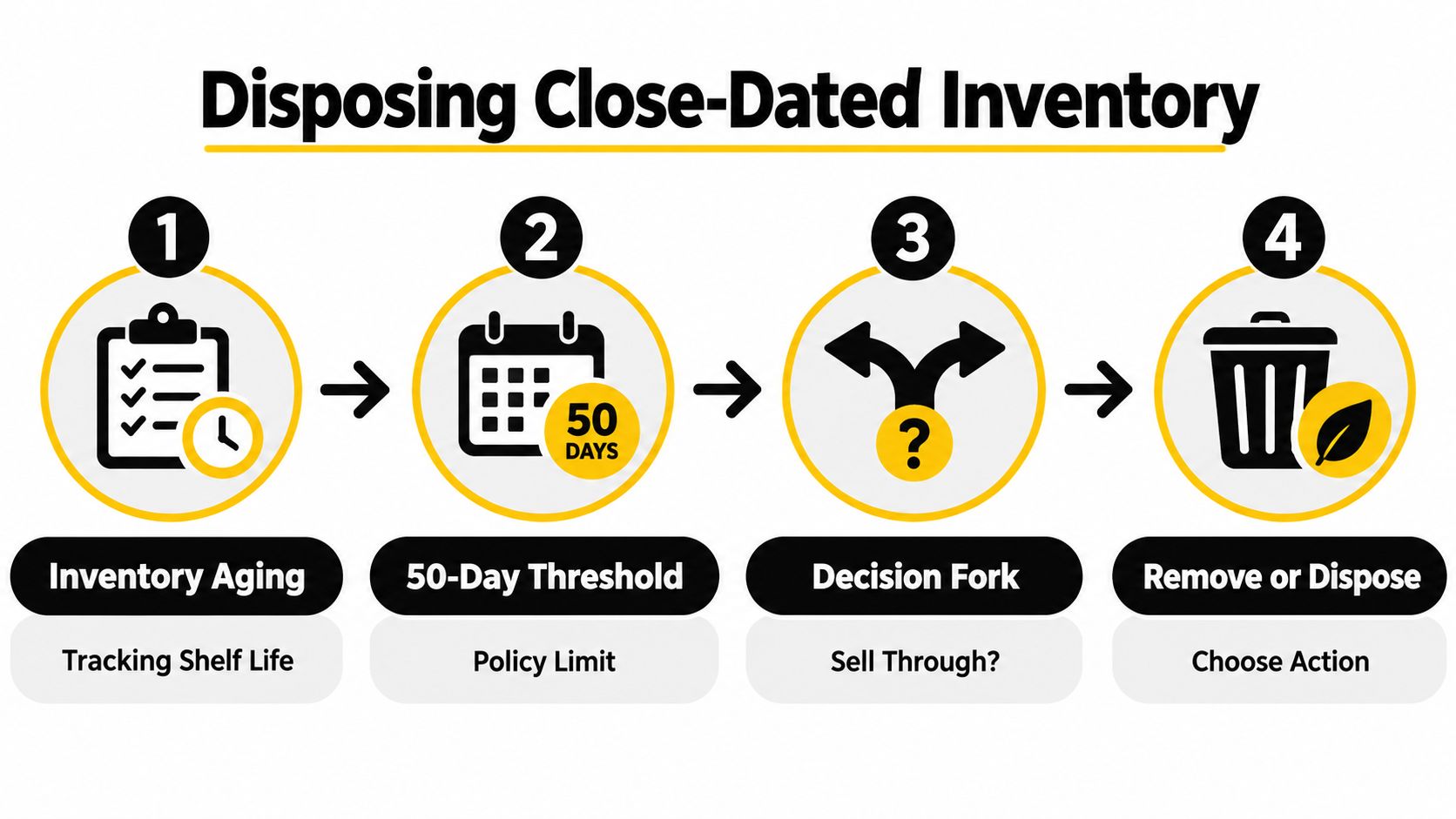
The 50-day threshold turns aging inventory into a disposition decision. Amazon's guidance states that units within 50 days of expiration may be removed for disposal without reimbursement. That means the printed date isn't the point at which you begin evaluating the inventory. Your review should happen earlier, while the units can still be sold, removed, or redirected.
The relative exposure can be easy to underestimate. On a 300-day shelf-life product, the 50-day window represents approximately 16.7% of the shelf life. On a 360-day product, it represents approximately 13.9%, based on the relationship described in Amazon's expiration guidance. A slow-moving SKU can therefore become financially exposed while a meaningful part of its original shelf life remains.
Use a disposition ladder
For each lot, calculate the projected units sold before the 50-day cutoff. Then compare the contribution from selling those units with the cost of accelerating demand, removing inventory, or accepting disposal.
- Sell through normally when the forecast clears the lot before the operational cutoff without damaging contribution margin.
- Increase demand deliberately when a targeted promotion or advertising adjustment can move units while the product remains within the compliant selling window.
- Stop replenishment when the existing lot has enough units to cover expected demand and another inbound shipment would create date overlap.
- Remove early when the lot won't sell through and removal preserves more value than waiting for Amazon's disposal window.
- Write off the exposure when removal economics no longer justify the action, while recording the loss against the correct SKU and production lot.
The right choice depends on product margin, removal cost, freight, storage exposure, and the probability of selling through. Don't use a blanket rule such as “always remove at 90 days.” A premium product with strong demand may justify an aggressive sell-through plan, while a slow-moving low-margin product may need a much earlier exit.
This is also where reimbursement analysis belongs. Expiration-related disposal isn't automatically a reimbursement event. Separate customer returns, warehouse damage, receiving discrepancies, and policy-driven disposal in your records. For losses that may qualify under Amazon's separate reimbursement policies, maintain a case file with the shipment ID, SKU, lot date, units, and inventory event. A structured Amazon FBA reimbursement process helps keep eligible claims separate from ordinary close-date write-offs.
Promotional demand can hide the real risk
A promotion may improve unit velocity but still fail to clear the entire lot. If demand increases only briefly, the remaining units continue aging. Forecast the sell-through by lot, not by ASIN total, and don't let later-dated inventory make an older lot look safe.
The finance team should review aged food inventory alongside the operations team. The useful question is not just how much inventory is on hand. It's how many units remain sellable under Amazon's dates, how many can be sold before the cutoff, and what action produces the highest recoverable contribution.
Brand Operating SOP and Checklist for Expiration-Dated Food Programs
A workable SOP assigns ownership before inventory becomes urgent. Operations owns lot records and inbound timing. Supply chain owns production quantities and shipment cadence. The Amazon team owns ASIN setup, sell-through actions, and inventory monitoring. Finance owns the margin view, including removal, disposal, promotion, and freight costs.
Run this checklist for every production lot:
- Record the lot. Capture production date, expiration or manufacturing date, unit count, and approved SKU.
- Calculate the receipt window. Work backward from the date Amazon must receive the shipment, preserving full consumption time plus the required 90-day buffer.
- Design the batch. Use FEFO allocation and keep one expiration date per ASIN within each inbound box.
- Prepare the units. Confirm the date is readable, the FBA label doesn't cover it, and bundles or multipacks show the required dates on the outer package and individual units.
- Review the shipment. Compare the actual lot against the shipment plan before dispatch. Reject mixed-date cartons.
- Monitor aging. Review remaining life, projected sell-through, and the 50-day disposal exposure at a fixed internal cadence.
- Choose the action. Adjust demand, stop replenishment, remove inventory, or record the expected write-off while options remain.
For margin planning, use the Amazon profit calculator to model contribution by SKU, the FBA storage fee calculator to include inventory-holding costs, and the sales rank checker to monitor demand signals alongside lot aging. Online Brand Growth also offers a 360 Brand Protection program for unauthorized seller removal and MAP enforcement, which can help protect the pricing environment while your team manages close-dated inventory.
Online Brand Growth combines Amazon catalog management, advertising, logistics, operations, and reimbursement support for brands that need tighter control of profitability. Visit Online Brand Growth to connect your expiration-date process with a broader Amazon operating plan, then book a free strategy call at /#book-call.