
Send less inventory and fix your IPI. That's the standard advice on FBA capacity, and it's incomplete enough to cost you a launch. You can have healthy sell-through, clean listings, and room in total cubic feet, then still get blocked in Send to Amazon because an old shipment plan is holding space or your oversize limit is full while standard-size sits empty. With Amazon FBA capacity limits explained properly, capacity isn't a warehouse ceiling. It's a monthly planning constraint you have to reconcile before production, freight, and purchase orders lock you in.
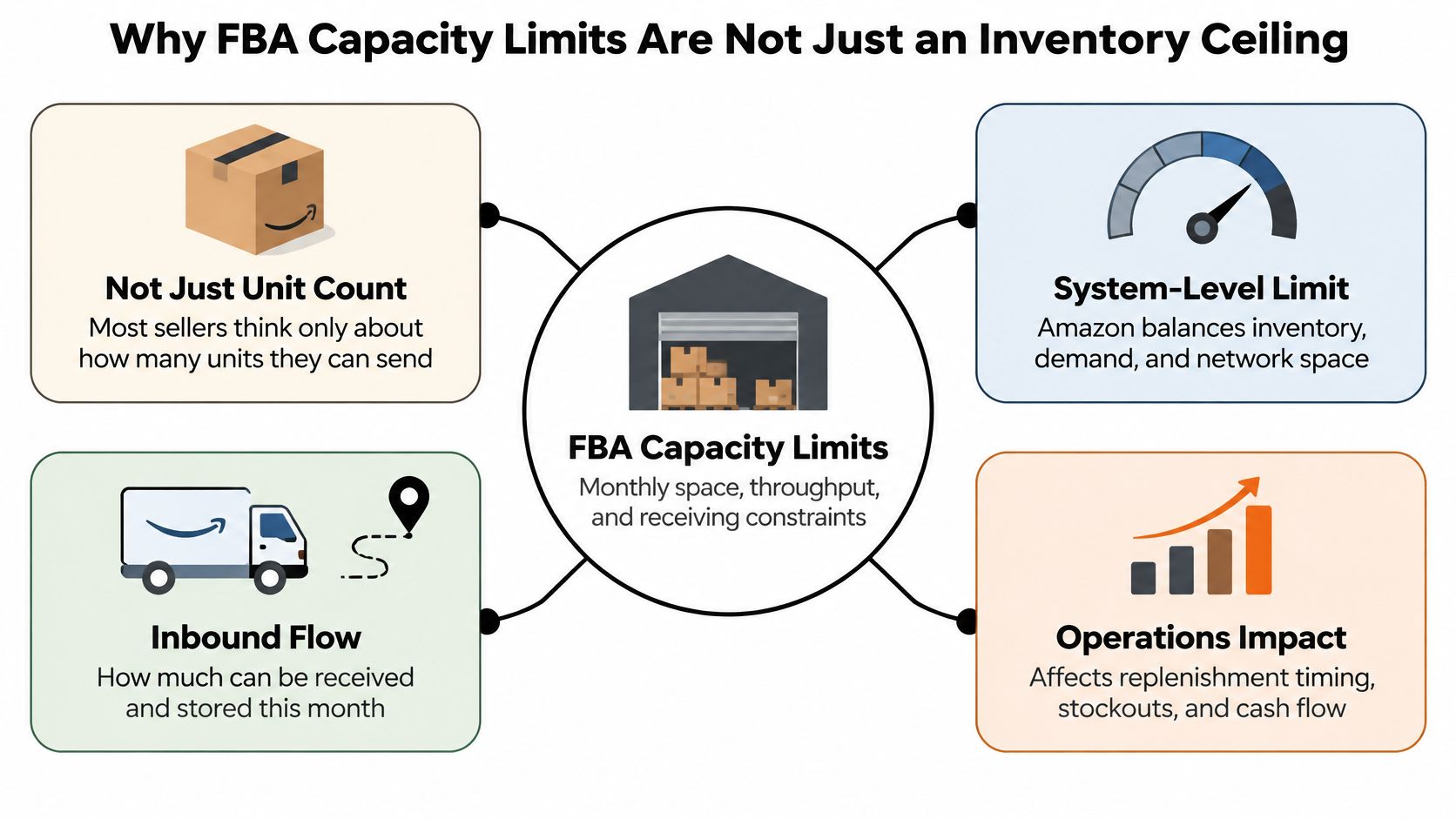
Why FBA Capacity Limits Are Not Just an Inventory Ceiling
Most brand owners still talk about capacity in units. Amazon doesn't. Its modern system launched in 2023 to replace less flexible inventory restrictions with a single monthly limit for each storage type, and it measures that limit in cubic feet because physical volume reflects fulfillment center space and transportation needs better than a unit count.
That distinction changes your math immediately. A compact consumable and a bulky home product can sell at the same velocity, but the bulky product consumes far more of your allowance. Repackaging creates the same surprise. Add retail-ready packaging, a larger insert, or protective components, and your next replenishment may use materially more space even though unit quantity hasn't changed.
The limit that blocks you may not be the headline limit
Each storage type has its own monthly allowance. Those categories include standard-size, oversize, apparel, footwear, and extra-large, and spare room in one doesn't solve a shortage in another. A brand launching apparel alongside standard-size accessories can look fine on a total-capacity spreadsheet while the apparel limit blocks the seasonal SKU that needs to move.
Treat the highest-risk category as your real constraint. Before you approve a purchase order, check the specific storage type for every ASIN in that order, not just account-level usage.
Practical rule: Never approve production from a single total capacity number. Check cubic feet by storage type, then check open shipments inside that same type.
Open shipments consume room before goods arrive
Capacity also isn't limited to stock physically sitting in a fulfillment center. Shipments you've created but Amazon hasn't received yet count against available space. A duplicated plan, an abandoned workflow, or a shipment stuck in transit can reduce what you're allowed to send next.
That's why the old advice to reduce on-hand inventory misses the point. Your FBA shelf may look lean while open inbound volume reserves the room you planned to use. Capacity is a rolling monthly allocation, not a permanent entitlement, and your operations calendar needs to treat it that way.
How Amazon Calculates Your Monthly Capacity Limit
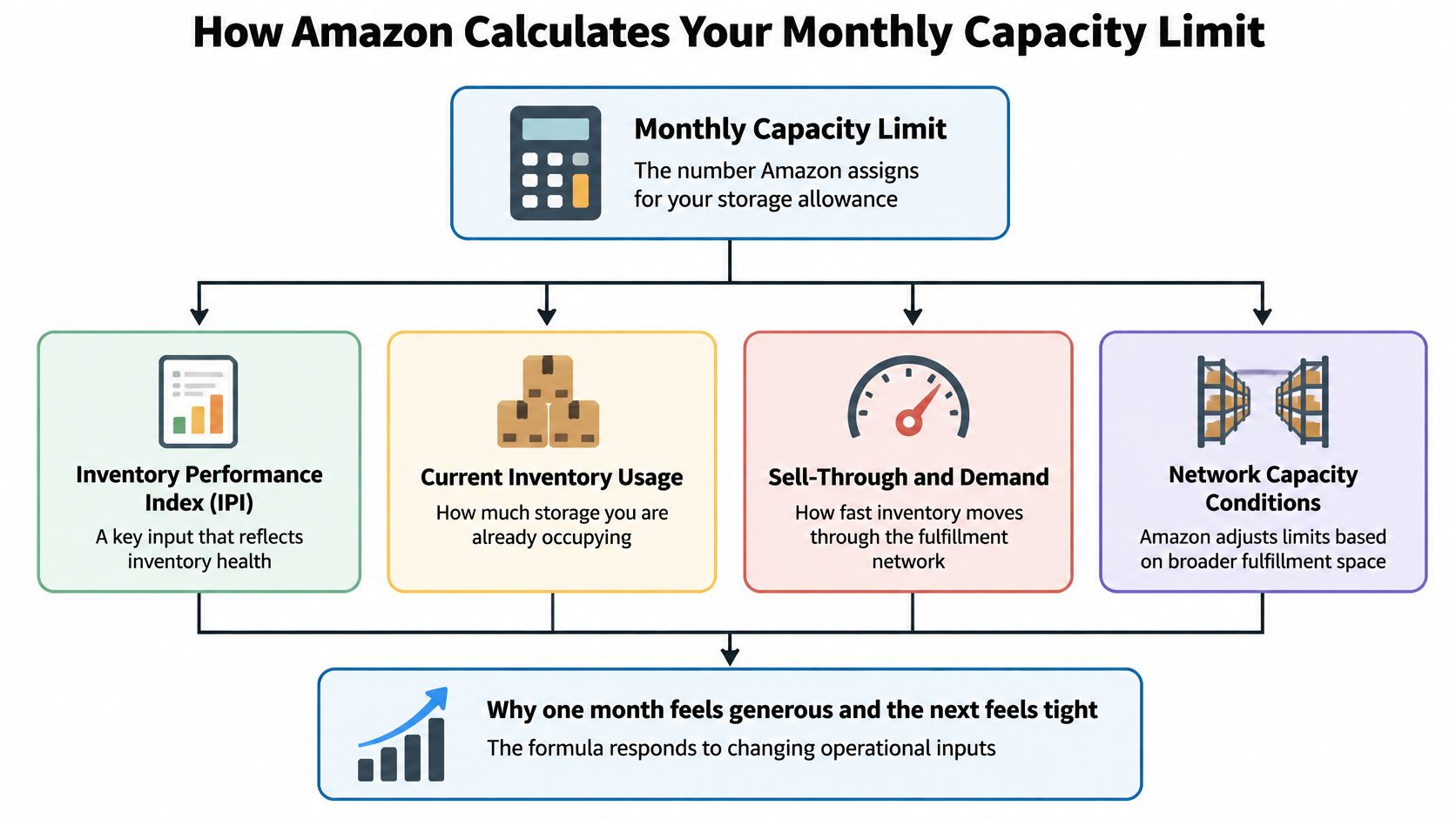
Amazon doesn't set next month's limit from last month's sales alone. It weighs your Inventory Performance Index, ASIN-level sales forecasts, shipment lead times, and available fulfillment center capacity. Change any of those inputs and your allowance can move, even if your own demand plan hasn't changed.
The diagram below maps those inputs to the monthly number you see in Seller Central.
What IPI actually measures
IPI uses a 0-to-1,000 scale and reflects the balance between sold and on-hand inventory, excess and aged stock, long-term storage exposure, listing problems, and keeping popular products available. It's not a vanity score. It tells Amazon whether you're using scarce cubic feet to generate sales or to store mistakes.
Consistently stronger inventory performance can support higher limits, adjusted for sales volume and network capacity. The reverse is also true. Slow variants, stranded units, and repeated over-sends don't just create fees. They weaken the efficiency signal Amazon uses when it allocates future space.
- Sell-through balance: Are units selling at a pace that justifies the space they occupy?
- Excess and aged inventory: Are slow ASINs sitting beyond a reasonable supply horizon?
- Listing health: Are units sellable and attached to active listings?
- Availability: Are popular products staying in stock without excessive cover?
Why cleanup does not create instant relief
Limits are reviewed monthly and depend on historical performance. Removing dead stock this week helps future calculations, but it may not expand next month's allowance right away. Plan as if today's operational fixes have a lag.
Inventory age deserves special attention. Units stored for 181 days or more become subject to an aged-inventory surcharge assessed on the 15th day of each month, and inventory beyond roughly 90 days of supply may count as excess or aged in Amazon's evaluation, as noted in the inventory performance guidance linked above. Once an ASIN approaches those thresholds, you're managing both a fee problem and a capacity problem.
The walkthrough below is useful for seeing how these inputs connect inside the account before you build your own monthly review.
The Cubic-Foot Math and the Open Shipment Trap
A shipment can consume FBA capacity before its cartons reach Amazon. Plan replenishment in cubic feet, not just units: use current product dimensions to estimate the proposed shipment's volume, then account for inventory already at fulfillment centers and inbound shipments still open. Amazon assigns a separate monthly limit to each storage type, and open shipments count toward that limit.
Use the dimensions currently recorded by Amazon rather than an old supplier quote. A packaging change, polybag, or Amazon remeasurement can alter the volume calculation, making a stale spreadsheet unreliable. If goods wait at an outside warehouse, grouping cartons by planned release timing can help maximize warehouse floor space and prevent slower-moving stock from blocking space needed for near-term FBA shipments.
What Counts Against Your FBA Capacity
| Inventory state | Counts against capacity | Planning implication |
|---|---|---|
| Available inventory | Yes | Sellable stock uses space until it sells |
| Reserved inventory | Yes | Units assigned to orders or processing still occupy capacity |
| Unfulfillable inventory | Yes | Damaged or unsellable units can take room from new inbound stock |
| Working shipment | Yes | A created shipment plan can reserve capacity before cartons move |
| In Transit shipment | Yes | Delays in receiving keep capacity committed |
| Pending removal or liquidation | Subtracted in Capacity Monitor | Removal or liquidation can restore usable planning room |
Reconcile Three Datasets Before Replenishing
Weeks of cover alone won't show your full exposure. Reconcile on-hand units, open shipments, and the unit-to-cubic-foot conversion in one view. Cancel plans you no longer intend to send, and investigate shipments that remain open unexpectedly.
A prep center workflow for FBA shipments can keep carton dimensions, labels, and shipment IDs connected. Without that recordkeeping, a team may create a replacement shipment while the original remains open, leaving both plans to consume capacity.
Account type also changes the available options. Individual selling accounts have a fixed 15-cubic-foot limit that cannot be increased. Professional sellers may request additional capacity through Capacity Manager when available. For an established brand, the Individual plan's fixed ceiling can constrain routine replenishment before sales demand is the limiting factor.
Where to Find Your Limits in Seller Central
Start with the Capacity Monitor in Seller Central. Amazon replaced the former weekly restock and quarterly storage approach with a single monthly capacity limit for each storage type, shown with current usage and remaining room for new shipments. Read it by storage type, not as one account total.
Capacity usage is broader than units customers can buy today. The monitor includes available, unfulfillable, and reserved inventory, while subtracting units pending removal or liquidation. That's why your available quantity can look modest while Seller Central still shows high utilization.
A practical reading sequence
- Open Capacity Monitor: Confirm this month's limit, current usage, and remaining capacity for the exact storage type.
- Review open shipments: Check Working and In Transit plans before creating another shipment.
- Check forward limits: Review the upcoming month and estimated limits for the following two months.
- Open Restock Recommendations: Use suggested quantities and ship-by dates only after you've confirmed space exists.
- Review Inventory Performance: Look for excess, aged, or stranded inventory that's consuming room without producing sales.
That order matters. Restock Recommendations are a planning aid, not a promise of capacity. Amazon may recommend a quantity to maintain minimum inventory levels, but Capacity Monitor determines whether you can create the shipment.
Use Capacity Monitor to decide if you have room. Use Restock Recommendations to decide timing and quantity. Reversing those jobs creates purchase orders you can't inbound.
Treat forward estimates as estimates
Amazon announces the upcoming month's limit during the current month, with current guidance pointing to the fourth week, and shows estimates for the following two months. Those estimates can shift with sales forecasts, shipment lead time, network capacity, and IPI.
Before a seasonal purchase order, screenshot or export the current view and compare it with your proposed cubic-foot build. If the order only works under the most optimistic future estimate, stage part of it outside FBA instead of assuming Amazon will make room.
Comparing Ways to Raise or Work Around Capacity Limits
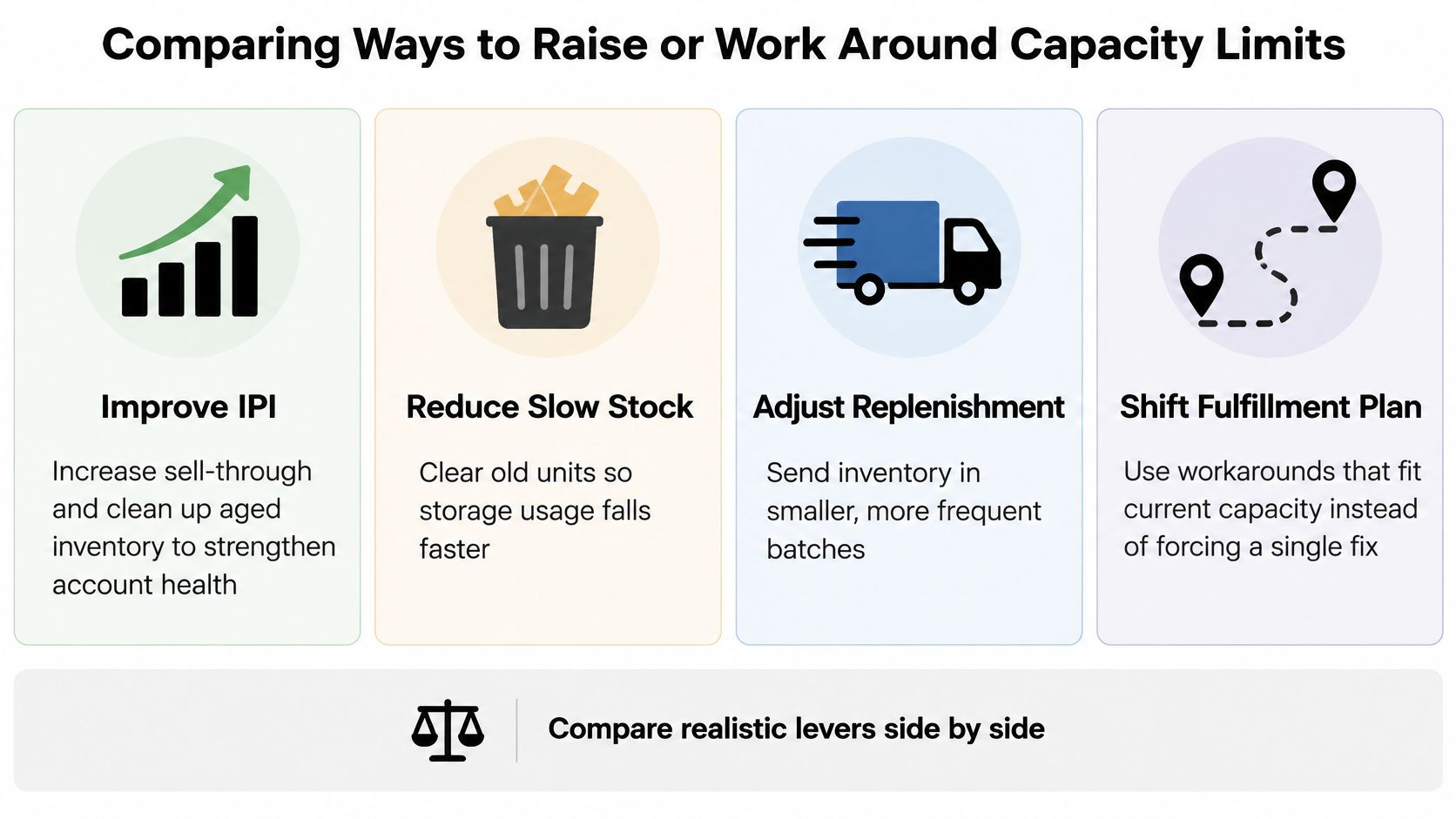
There's no universal fix. The right lever depends on velocity, contribution margin, lead time, and how quickly you need units sellable. Improving IPI is the durable solution, but it won't rescue a hero ASIN that's about to stock out this month.
The comparison below groups the main levers so you can judge speed, cost, and operational effort side by side.
Capacity Manager is a margin decision
Through Capacity Manager, you submit a reservation fee per cubic foot. Requests are prioritized from the highest fee downward, and forum guidance states that qualifying sales can generate $0.15 in performance credits per $1 of sales, potentially offsetting up to 100% of the fee.
Paid capacity can make sense for a fast-selling, high-contribution-margin ASIN where a stockout would cost more than the fee. It's a poor use of cash for slow or low-margin stock. Compare incremental contribution margin against the reservation fee, inbound freight, storage exposure, and forecast risk. Run that math in the FBA storage fee calculator and the Amazon profit calculator before you bid.
AWD, 3PL staging, and FBM solve different problems
- Amazon Warehousing and Distribution: Forum guidance states that inventory replenished from AWD into FBA isn't subject to FBA capacity limits, as described at the forum link above. AWD still has its own processing, transportation, and storage economics, so model the full chain.
- 3PL staging: Hold bulk inventory externally and release smaller FBA replenishments closer to sale. This protects FBA space but adds handling, freight, and coordination.
- FBM overflow: Merchant fulfillment can maintain availability during a constraint, though delivery promise and conversion may change. Review the trade-offs in this guide to Amazon FBA versus FBM fulfillment.
- Removals and liquidation: Exit hopeless stock instead of paying to preserve room for it.
In an integrated engagement, Online Brand Growth handles FBA inventory planning, inbound shipment creation, and replenishment timing alongside advertising and catalog operations. That's useful when media plans, promotions, and inventory releases need to move together, but the same decision framework applies if your internal team runs it. Protect contribution margin, not cubic feet for their own sake.
Monitoring Metrics and Replenishment Cadence
Capacity management fails when it's a rescue exercise after Seller Central blocks a shipment. Build a monthly rhythm that starts before Amazon announces the next limit. Your ops lead should review the same dashboard, in the same order, every cycle.
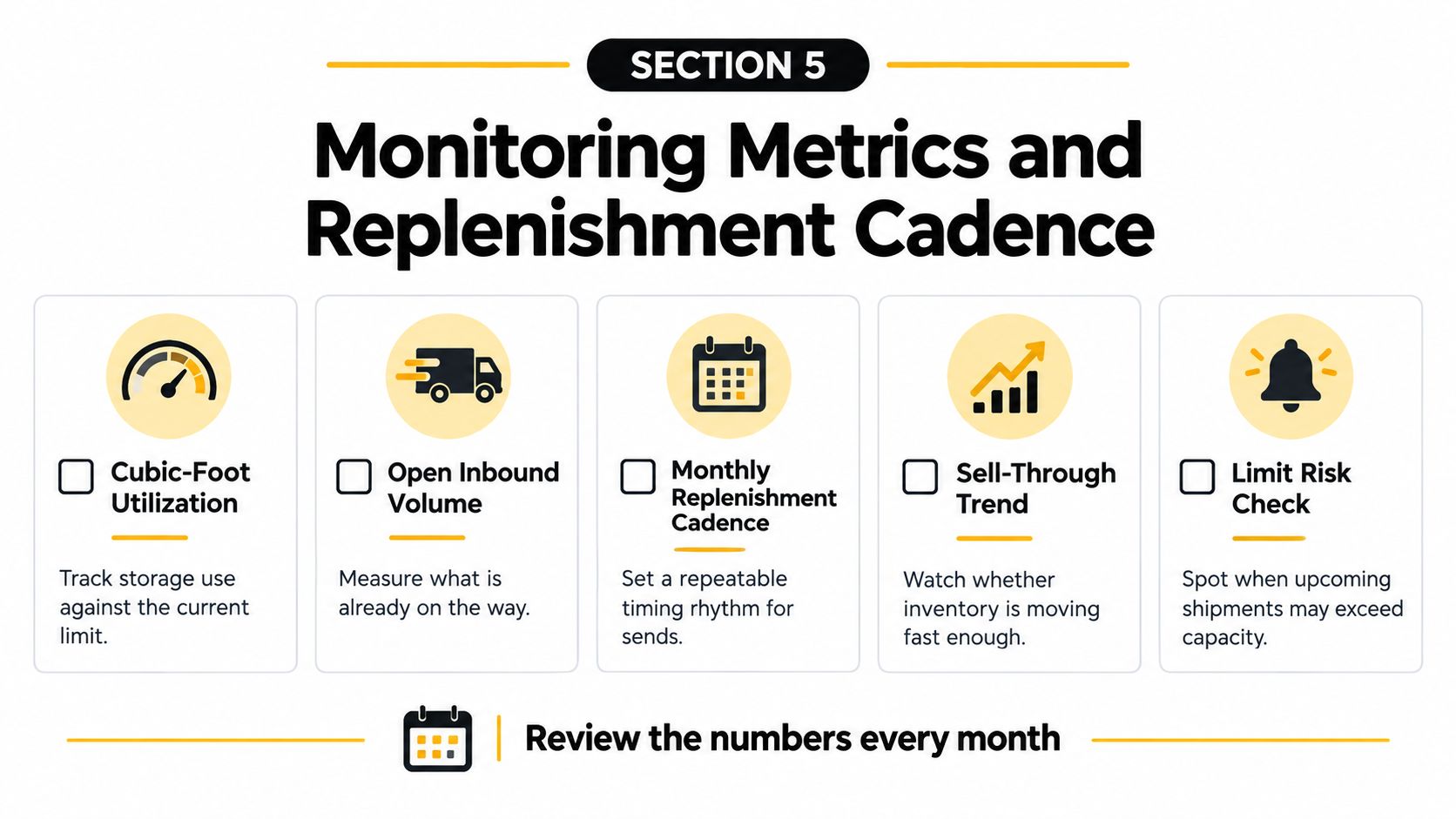
The monthly scorecard
- Cubic-foot utilization: Current usage divided by the limit for each storage type.
- Open inbound volume: Cubic feet in Working and In Transit shipments, aged by expected receiving date.
- Weeks of cover by ASIN: Available plus inbound units against forecast demand, converted back into cubic feet.
- IPI drivers: Excess inventory, stranded units, sell-through, and availability on replenishable ASINs.
- Aged exposure: Units approaching the surcharge window, reviewed well before they become expensive.
- Forecast error: Actual sell-through versus the forecast used to justify the last shipment.
For buffer planning outside Seller Central, it's worth learning how to configure inventory buffers in ERP planning so safety stock sits in the cheapest appropriate location. FBA should hold the service-level buffer you need for near-term sales, not your entire insurance policy.
Time orders around the announcement
Amazon's regional guidance notes that Professional account limits are updated periodically and higher IPI can support higher limits after adjustment for sales volume and network capacity. Don't assume a prior period's allowance carries forward.
Sending a full seasonal build too early can lock up capacity and starve higher-velocity ASINs later. Stage the tail externally and release it in tranches. Pair that cadence with disciplined Amazon inventory forecasting so purchase orders reflect demand and lead time, not optimism. A forecasted sales spike alone doesn't guarantee inbound room.
Your Tactical Capacity Checklist and Next Step
Run this sequence before your next production payment or freight booking. It takes less time than unwinding a shipment Amazon won't accept, and it exposes whether your constraint is demand, space, dimensions, or an abandoned plan.
This week's checklist
- Pull Capacity Monitor: Record limit, usage, and remaining cubic feet for every relevant storage type.
- Audit open shipments: Cancel dead plans, confirm live ETAs, and total their cubic-foot impact.
- Reconcile inventory states: Separate available, reserved, and unfulfillable units instead of using one on-hand number.
- Convert the next replenishment: Use current dimensions and subtract on-hand plus open inbound volume.
- Review aged ASINs: Decide on price action, removal, liquidation, or disposal before the next assessment cycle.
- Choose the overflow route: Compare Capacity Manager, AWD, 3PL staging, and FBM using contribution margin.
- Set the review date: Put the next capacity review ahead of Amazon's monthly announcement, not after it.
Run the numbers before you commit
Use the Amazon profit calculator to test whether incremental units still work after fees and freight, the FBA storage fee calculator to model holding cost, and the sales rank checker to sanity-check category demand signals before expanding an order. Those tools don't replace ASIN-level forecasting, but they stop weak assumptions from reaching a purchase order.
Capacity work also won't protect revenue if unauthorized sellers are taking the Buy Box. The 360 Brand Protection program covers unauthorized seller removal and MAP enforcement, which matters when you're investing in availability for ASINs that other sellers can undermine on price.
If you want an operator to review your current limits, open shipments, aged exposure, and replenishment plan before the next cycle, book a free strategy call. Bring your Capacity Monitor view and next purchase order, and you'll leave with a clear send, stage, or remove decision.
Online Brand Growth helps established brands manage Amazon inventory, advertising, listings, and account operations as one connected system, so capacity decisions support profitable growth instead of creating avoidable stockouts. Visit Online Brand Growth to discuss how your team can tighten replenishment planning and build a more predictable Amazon channel.